




Every day, leaders, teams, and individuals face a barrage of choices—some small, some company-defining. AI decision making is quickly becoming the secret weapon for cutting through that noise, helping people turn overwhelming data into clear, confident action.
Whether you’re running a startup, managing a team, or just trying to make smarter personal choices, learning how to lean on AI can completely change how you approach problems.
This guide walks you through the essentials of using AI to make better decisions, from the tools you’ll need to the workflows that actually stick. Let’s dive in.
What AI decision making actually means

At its core, AI decision making is the process of using artificial intelligence to analyze information, weigh options, and recommend (or automate) a course of action.
It’s not about handing over your judgment to a machine—it’s about giving yourself a smarter starting point.
AI systems can process patterns in data far faster than any human, spotting trends and correlations that would take weeks to uncover manually.
That speed is what makes decision making using AI so powerful for everything from quarterly planning to daily task management.
Where AI fits into the decision process
AI typically supports decisions in three ways:
- Descriptive: Summarizing what happened (e.g., last month’s sales dropped 12%).
- Predictive: Forecasting what could happen (e.g., churn risk for a specific customer).
- Prescriptive: Recommending what to do next (e.g., offer a 10% discount to retain the customer).
According to a McKinsey report on AI adoption, organizations using AI in core business functions are seeing measurable cost reductions and revenue increases—proof that the technology has moved well past the hype stage.
Humans stay in the driver’s seat
One thing to remember: AI is a co-pilot, not the pilot. The best outcomes happen when humans validate AI recommendations with context, ethics, and experience that no model can fully replicate.
Why smart teams are leaning on AI

The shift toward AI-assisted decisions isn’t happening because it’s trendy—it’s happening because the volume of information we deal with has outgrown our ability to process it manually.
Speed and scale
A human analyst might take days to review thousands of customer reviews. An AI model can do it in minutes and surface the top three recurring complaints. When time is money, that gap is enormous.
Reduced bias (when done right)
Humans bring biases to every decision—recency bias, confirmation bias, gut-feel bias. AI, when trained on clean and diverse data, can help flag where emotion might be clouding judgment.
That said, AI can also inherit bias from its training data, which is why awareness is critical.
Better use of data you already have
Most businesses are sitting on goldmines of unused data. AI tools help you extract value from customer interactions, sales logs, support tickets, and internal documents that would otherwise collect dust.
“AI is the new electricity. Just as electricity transformed almost everything 100 years ago, today I actually have a hard time thinking of an industry that I don’t think AI will transform in the next several years.”
— Andrew Ng, co-founder of Coursera and Google Brain
Weighing the tradeoffs before you dive in
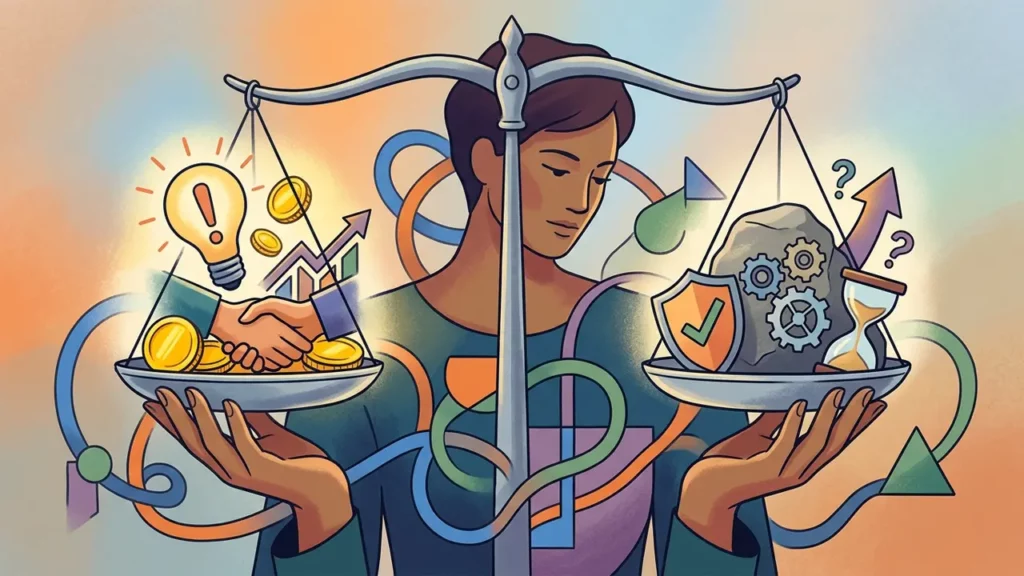
Before you plug AI into every decision, it’s worth understanding the full picture. Every powerful tool comes with tradeoffs, and AI is no exception. You can explore a deeper breakdown in this guide on the advantages and disadvantages of AI, but here’s the short version.
The upside
- Faster analysis of large, messy datasets
- Consistency across repeated decisions
- 24/7 availability—no fatigue, no weekends off
- Scalability as your business grows
The downside
- Risk of over-reliance on automated outputs
- Privacy and data security concerns
- “Black box” reasoning that’s hard to audit
- Potential for biased recommendations if training data is flawed
A balanced approach
The smartest teams treat AI like a junior analyst: helpful, fast, and often right, but always worth double-checking before presenting the findings to a board.
Build review steps into your workflow so you never ship an AI-driven decision without a human sanity check.
Using AI to spark new business opportunities

Decision making isn’t just about reacting to problems—it’s also about spotting opportunities before competitors do.
AI is remarkable at surfacing patterns that hint at untapped markets, underserved customer needs, or inefficient processes ripe for disruption.
If you’re exploring ways to launch or grow a venture, this roundup of AI business ideas is a great place to get the wheels turning.
How AI helps you find opportunities
- Market gap analysis: AI can scan reviews, forums, and social media to identify recurring customer frustrations.
- Trend forecasting: Models can detect rising search interest or shifting buyer behavior weeks before it hits mainstream awareness.
- Competitive intelligence: AI can summarize competitor pricing, messaging, and feature launches at a glance.
From insight to action
Once AI surfaces an opportunity, your next decision is whether to act on it. This is where human judgment wins—evaluating resources, timing, and strategic fit. AI tells you what’s possible. You decide what’s worth pursuing.
For example, a small agency might use AI to analyze local search demand and discover an underserved niche for explainer videos.
From there, they could pair that insight with an AI voice generator to produce voiceovers quickly, turning a data-driven hunch into a real, revenue-generating service line.
Getting better outputs with smarter inputs

The quality of AI decisions depends entirely on how you ask. This is where prompt engineering comes in—the practice of crafting clear, specific instructions that guide AI toward the answer you actually need.
A generic prompt like “help me decide our marketing budget” will produce generic advice. A sharper prompt that includes context, goals, and constraints will produce something you can actually use.
For a curated list to get started, check out these ChatGPT prompts built specifically for work scenarios.
Anatomy of a strong decision-making prompt
- Role: “Act as a financial analyst with 10 years of SaaS experience.”
- Context: “Our company has $500K in monthly revenue and 15% month-over-month growth.”
- Task: “Help me decide whether to invest in paid ads or hire a content team.”
- Format: “Give me a pros/cons list followed by a recommendation.”
Iterate, don’t accept the first answer
The first output is rarely the best one. Push back, ask follow-up questions, and request alternatives. Treat it like a conversation with a knowledgeable advisor, not a vending machine.
Applying AI to everyday workplace decisions

You don’t need to be running a Fortune 500 to benefit from AI. Most of the value shows up in small, repeated decisions that accumulate over time—what to prioritize today, how to respond to a tricky email, which customer to call first.
If you want a deeper playbook on how to use AI at work, the principles start with identifying repeatable decisions and automating the analysis behind them.
Common workplace decisions AI can support
- Hiring: Screening resumes against job requirements
- Prioritization: Ranking tasks by urgency and impact
- Scheduling: Finding optimal meeting times across teams
- Customer support: Routing tickets to the right specialist
- Content planning: Identifying which topics will resonate with your audience
Start small and compound the wins
The best way to build an AI-assisted workflow isn’t to overhaul everything at once.
Pick one decision you make repeatedly, document how you currently make it, and then look for the AI tool that fits that specific loop.
Once it works, move on to the next.
Tackling tougher challenges with AI

Not every decision is a simple yes/no. Some involve layers of complexity—competing priorities, incomplete data, or stakeholders with different goals. This is where AI shines as a thinking partner, helping you break big problems into smaller, solvable pieces.
For a more comprehensive approach, this guide on AI problem solving walks through frameworks you can borrow.
The short version: use AI to map the problem, generate options, and stress-test your assumptions before committing.
A simple framework for complex decisions
- Define the problem clearly in writing and ask AI to rephrase it.
- Gather data and feed the relevant context into the model.
- Generate options—ask for at least five possible approaches.
- Evaluate tradeoffs by having AI list pros, cons, and risks.
- Commit and review the outcome to improve the next decision.
Why this approach works
Good AI problem solving forces you to slow down and articulate what you actually want. Half the battle of any tough decision is clarity, and AI is a fantastic mirror for sharpening your own thinking.
Building your AI decision-making habit
The teams that get the most out of AI aren’t the ones with the fanciest tools—they’re the ones who build AI checks into their routines.
A five-minute prompt before a big meeting, a weekly data review, a quick second opinion before sending a major email. Those small habits add up.
Start by identifying the top three decisions you make each week. Ask yourself: could an AI tool give me a faster, more informed starting point? If the answer is yes, that’s your first workflow to build. From there, refine, expand, and keep humans firmly in the loop.