




A good Japanese voice generator can make or break your video project. Whether you need narration for a YouTube essay, dialogue for a game mod, or voiceover for anime-style content, the tool you pick determines whether your audience stays or clicks away.
The market has grown fast. Picking the right option means understanding what each tool actually does well and where it falls short.
Why Japanese AI voice quality matters more than you think
Japanese is a pitch-accent language. Get the intonation wrong, and words change meaning. A flat, robotic voice doesn’t just sound bad. It can confuse native speakers.
Microsoft’s Azure AI Speech documentation states that “for pitch-accent languages like Japanese, our neural voice models are trained on curated datasets that preserve accent-type distinctions at the mora level.”
That standard has raised expectations across the board. Audiences now notice when AI speech sounds off, even by a small margin.
What to look for in a Japanese voice generator
Not every tool handles Japanese equally. Here are the factors that matter most:
- Pitch accent accuracy across different dialects
- Number of available voice styles (casual, formal, character-driven)
- SSML or prosody controls for fine-tuning
- Export quality (sample rate, file formats)
- Speed of generation for longer scripts
Stanford’s AI Index Report noted that “speech synthesis benchmarks for tonal and pitch-accent languages have seen the largest year-over-year quality improvements, narrowing the gap with English-language models.”
The top 5 tools ranked
1. Typecast
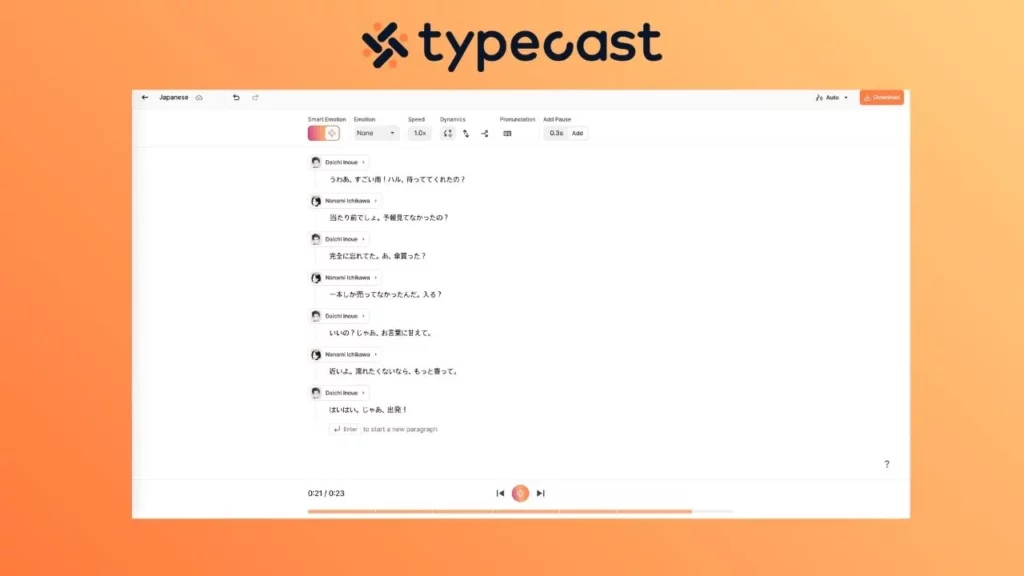
Typecast’s realistic AI voice generator offers a wide library of Japanese voices with distinct character types.
It handles pitch accent well and gives users control over emotion and pacing. Creators working on AI voice anime characters or localized video content will find the character-driven voice options particularly useful.
It also provides an anime voice generator specifically built for anime-style dialogue, which is harder to find than generic narration voices.
Typecast provides an extensive library of Japanese voice personas, offering a variety of character types that span from children to the elderly. The platform features expressive emotion and tone sliders for precise control, complemented by a smart emotion engine that automatically detects script context to apply the most appropriate inflection.
If you’re looking for a quick and easy Japanese AI voice tool with lots of character options, this one’s for you. As a browser-based solution, it requires no software installation, enabling a seamless workflow for creators.
2. Google Cloud text-to-speech
Google’s Neural2 and WaveNet Japanese voices remain a strong option for developers and creators who want API-level control. The prosody modeling is solid, and you get Studio-quality voices if you’re on a paid plan.
This solution remains a premier choice for developers requiring API-level integration and high pitch-accent accuracy, though it provides a more constrained selection of character-driven personas compared to specialized creative tools.
3. Amazon Polly
Amazon Polly supports Japanese through its Neural Engine. It’s reliable for straightforward narration but lacks the character range that anime fans or game modders typically need. SSML support allows for manual pitch and rate control, and the output is clean even at standard sample rates.
Overall, it’s better suited for informational content than for creative projects.
4. Voicevox
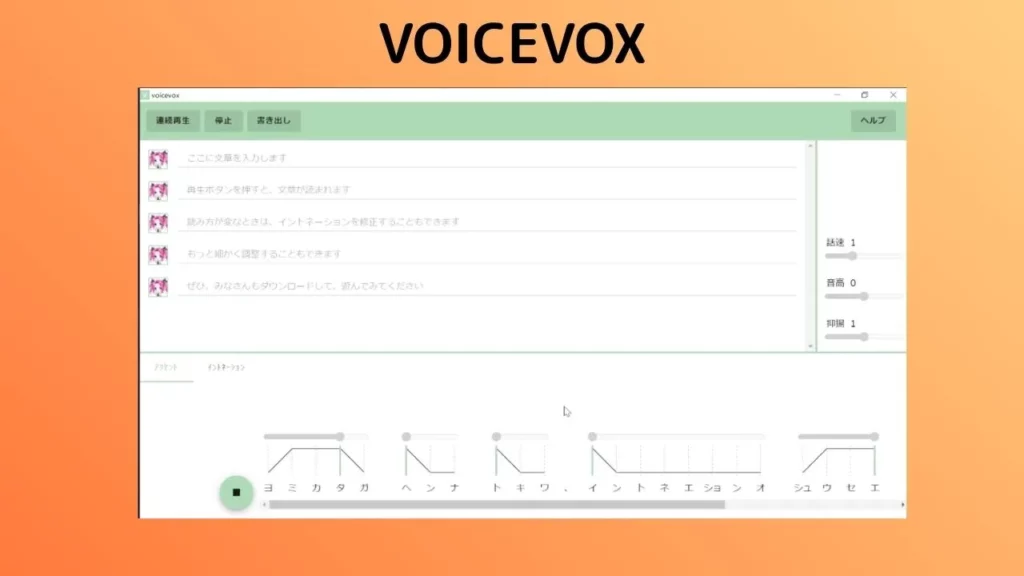
Voicevox is an open-source Japanese voice synthesis tool popular in Japan’s creator community. It uses a different approach from Western TTS platforms, with voice characters that each have defined personalities and speaking styles.
It is free and open source and is known for having a strong community and plugin ecosystem. Since its interface is in Japanese, it may be a barrier for some users who do not speak the language.
Forrester’s analysis of synthetic media tools observed that “open-source voice synthesis projects are accelerating innovation by enabling niche communities to train and distribute specialized voice models.”
5. CoeFont
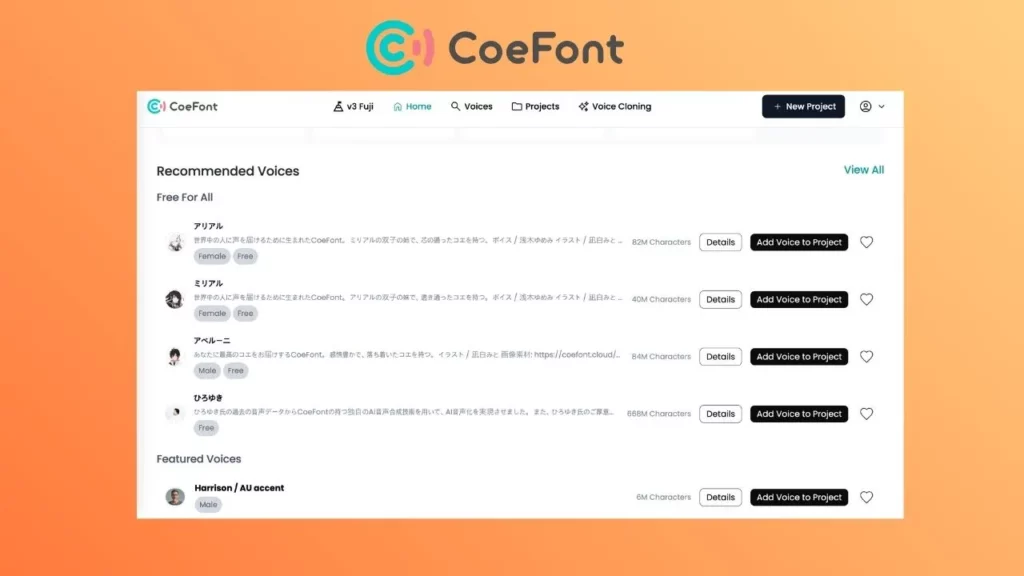
CoeFont is a Japan-based platform that lets users create and use AI voices with fine control over Japanese prosody. It’s used in commercial broadcasting and YouTube content in Japan.
It is a native Japanese platform with deep language support. If you are looking for commercial licensing options, this is a perfect choice. English is also available for the interface and documentation, but it is limited.
Matching the tool to your use case
Different projects need different things.
Here’s a quick breakdown:
| Use case | Best fit |
| Anime fan dubs | Typecast, Voicevox |
| Game mods with Japanese dialogue | Voicevox, Typecast |
| YouTube narration in Japanese | Typecast,CoeFont |
| App or product voiceover | Amazon Polly, Google Cloud |
| Streaming with Japanese AI characters | Typecast, CoeFont |
The gap between “good enough” and actually good
Most of these tools produce clean audio. The real difference shows up in longer sentences, emotional variation, and how natural the voice sounds during conversational pacing.
A study from the Information Processing Society of Japan found that “listener trust in synthetic Japanese speech drops measurably when pitch accent errors occur more than twice per minute of audio.”
That means if your content runs longer than a few seconds, accuracy compounds. Small errors stack up fast.
Using Typecast in your workflow
Typecast runs in the browser, so there’s no software to install or API to configure. The process is straightforward.
- Write or paste your script into the Typecast editor
- Select your Japanese voice and adjust emotion, pacing, and tone using the sliders
- Generate the audio and preview it directly in the platform
- Download the file as MP3 or WAV
- Import into your editor (Premiere Pro, DaVinci Resolve, Final Cut, CapCut, or whatever you use)
A few things that help keep the process smooth:
- Break long scripts into shorter segments so you can match audio clips to specific scenes
- Use the emotion controls to vary tone across different sections rather than generating everything with the same settings
- Export at the highest available sample rate if you plan to do any post-processing
Typecast works well for creators who want to stay out of code and just get usable audio fast. If you’re producing anime-style content, their anime voice generator voices are built for that specific use case.
Pricing and access considerations

Free tiers exist on most platforms, but they come with limits on character count, voice selection, or export quality. Voicevox is the exception since it’s fully free, though you trade off ease of use.
For creators producing regular content, a paid plan on a platform with strong Japanese voice support will save time and produce more consistent results than stitching together free tools.