




AI voice cloning services can turn a short recording or a professionally captured dataset into a custom synthetic voice. The right service depends less on a single “best” ranking than on how much audio you can provide, how you plan to use the voice, and how the provider charges for production.
For a creator who needs a self-serve voice for videos, a subscription with predictable download time may be easiest to budget. A podcast editor may get more value from a clone built into an editing suite. Developers and enterprise teams may care more about API access, deployment options, consent controls, and the ability to maintain a consistent voice across languages.
This comparison focuses on five services with distinct workflows: Typecast, ElevenLabs, Descript, Resemble AI, and Murf AI. Prices and plan rules change, so treat the provider links beside each claim as the final purchasing reference.
How to compare AI voice cloning services
Start with the production requirement, then compare price. A low monthly fee is not useful if the plan only includes stock voices, excludes commercial publishing, or requires more clean training audio than you can supply.
Voice quality and control: Test pronunciation, pacing, emotional range, and consistency across short and long scripts. A polished demo does not guarantee that your own clone will handle names, technical terms, or performance direction equally well.
Cloning input: Instant cloning may need seconds or minutes of clean audio. Professional cloning can require a much larger, carefully recorded dataset but may offer better consistency for a long-form or brand-defining voice.
Consent and safety: Use a voice only when the speaker has given clear permission. Check how the provider verifies the speaker, stores training audio, limits sharing, and handles deletion or access after a plan change.
Language support: Confirm that the cloned voice—not only the stock voice library—supports the languages you need. Also test whether the voice retains its identity and accent when it speaks another language.
Pricing and usage rights: Compare the regular subscription price, included generation or download allowance, overage rules, voice-slot limits, commercial rights, and whether annual billing is required to reach the advertised rate.
Workflow fit: Decide whether you need an AI voiceover generator, an API, real-time speech, collaboration, or on-premises deployment. Those requirements often narrow the field faster than voice samples alone.
How AI voice cloning pricing works
AI voice cloning pricing usually follows one of three patterns. Creator platforms bundle a fixed allowance into a subscription, API platforms meter text or audio through credits, and managed enterprise services provide a custom quote for training and deployment.
A time-based allowance is easy to map to finished narration, but revisions can consume additional download or generation capacity. Credit systems can be flexible across several audio tools, although the effective cost changes when models use credits at different rates. Managed projects may have a higher entry cost but include onboarding, quality review, security options, or custom deployment.
Compare costs using a realistic monthly script and revision rate. Include the number of voice slots, teammates, languages, API calls, and finished-audio minutes you need. This avoids choosing a low advertised tier that does not actually include the required cloning workflow.
AI voice cloning services compared
The table summarizes the clearest current entry point for voice cloning—not the cheapest text-to-speech plan from each company.
| Service | Voice-cloning access | Regular entry price | Typical input | Best fit |
|---|---|---|---|---|
| Typecast | Basic Instant; Plus Professional | Studio from $5/mo; API Lite $15/mo | Instant or Professional Cloning | Self-serve creators and API teams |
| ElevenLabs | Starter instant; Creator professional | $6/mo Starter; $22/mo Creator | Under 2 min instant; 1–3 hr professional | Fast prototypes and professional/API production |
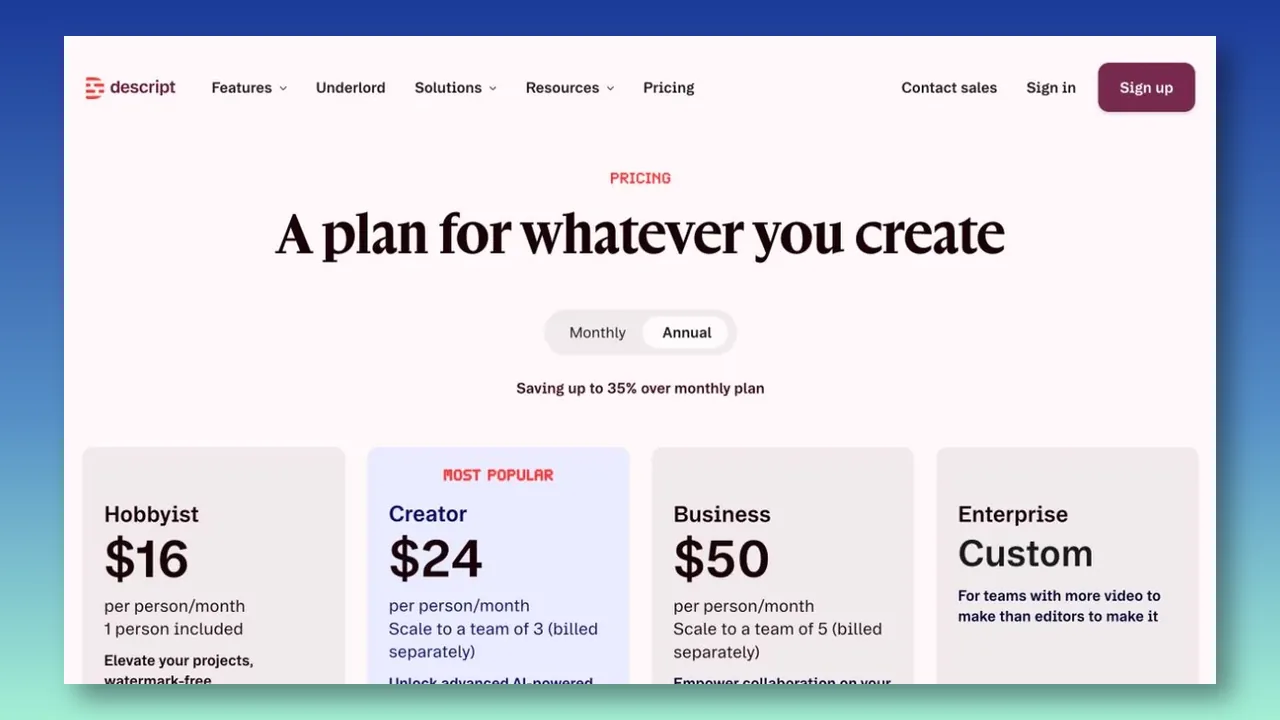
| Descript | Paid plans with custom voice clones | $24/mo Hobbyist | See current requirements | Podcast and video editing |
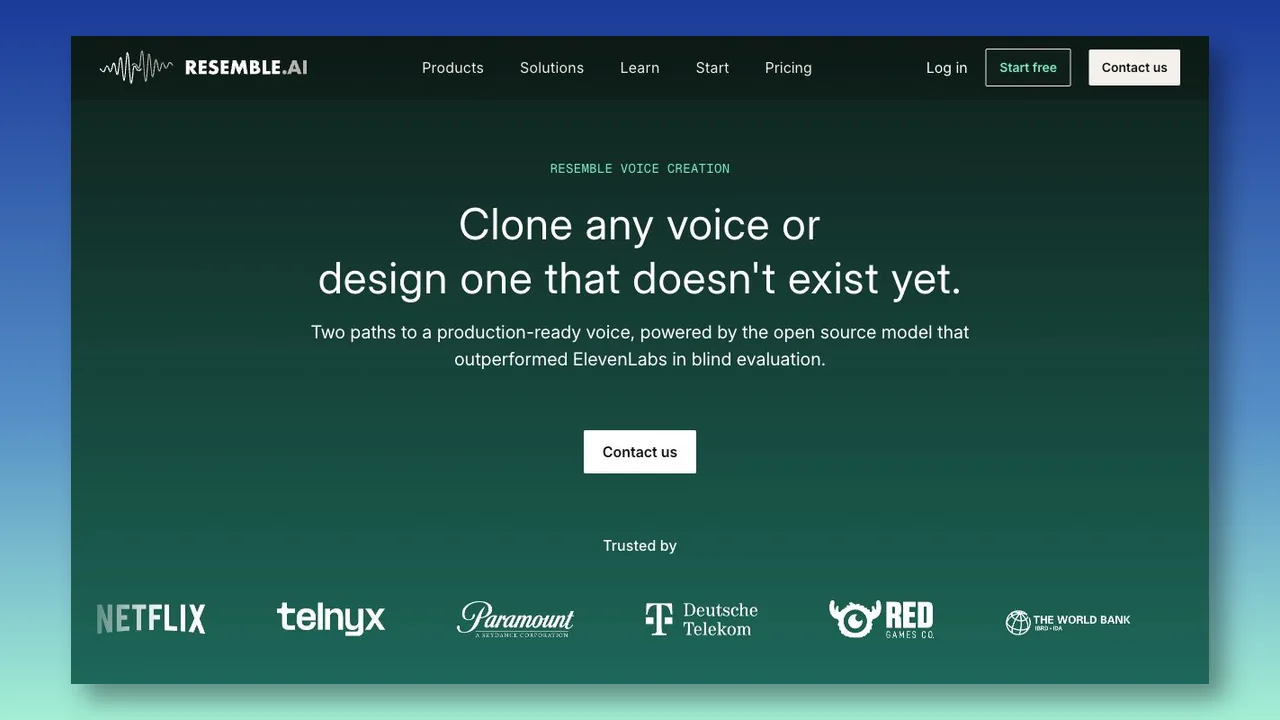
| Resemble AI | Business+ Voice Cloning API | Contact Resemble for current pricing | 10 sec rapid; 10–25+ min professional | API, self-hosted, or on-prem deployment |
| Murf AI | Enterprise managed service | Custom | 1–2 hr per voice style | Managed brand and localization projects |
Typecast: self-serve cloning for creator workflows
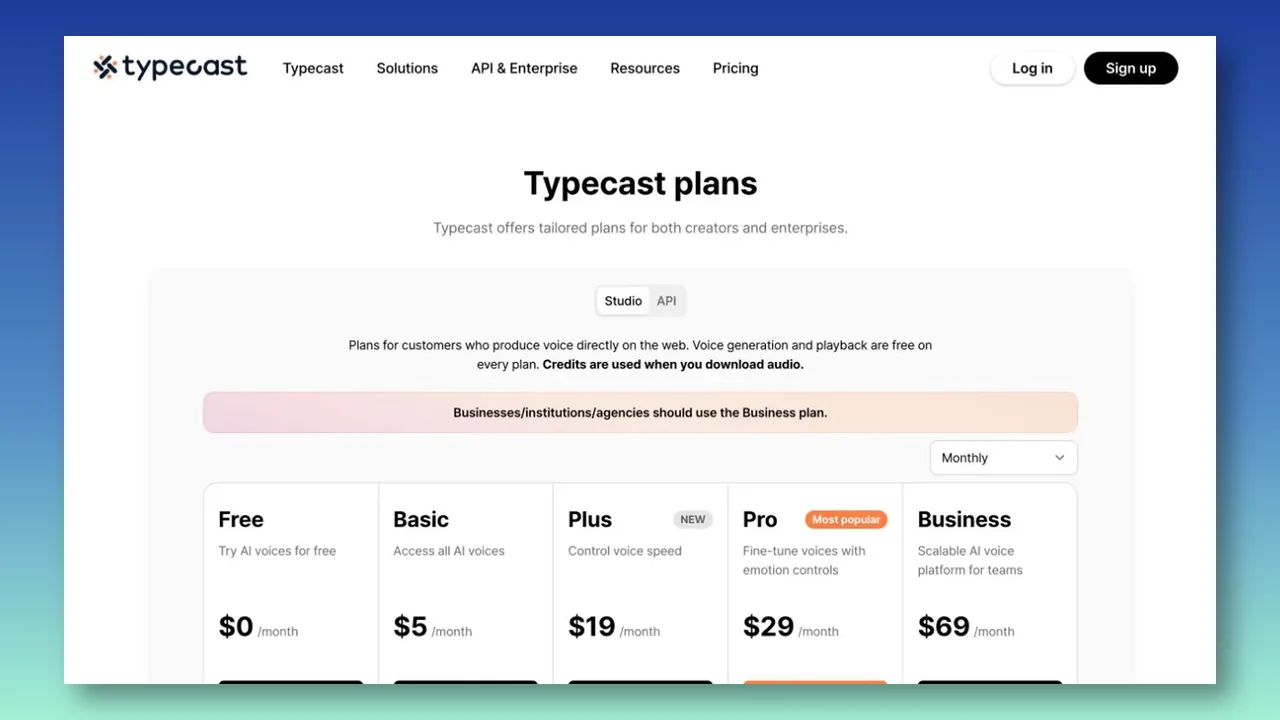
Typecast’s Studio plans make Instant Cloning available from Basic. The pricing page lists one cloning slot on Basic, adds a Professional Cloning slot on Plus, and lists additional slots on Pro and Business. Its currently displayed annual-billing prices are $5 per month for Basic, $19 for Plus, $29 for Pro, and $69 for Business; check the active billing selector before purchasing.
That structure suits creators who want to write, generate, adjust, and download voiceovers in one web workspace. Typecast lists a commercial license on paid Studio plans and requires attribution on Free. Higher tiers add voice speed, emotion, intonation, and more cloning slots, so the right plan depends on the intended workflow rather than price alone.
Developers should compare the separate Typecast API pricing. The $15 Lite API plan includes 200,000 monthly credits, pay-as-you-go overage, five concurrent requests, and 50 Instant Cloning slots. Studio and API usage are billed separately.
Consider Typecast when you want a self-serve creator interface, predictable time-based download allowances, or a separate API path for high-volume instant clones. Test the intended speaking style before committing, especially for long passages or specialized pronunciation.
ElevenLabs: instant and professional cloning tiers
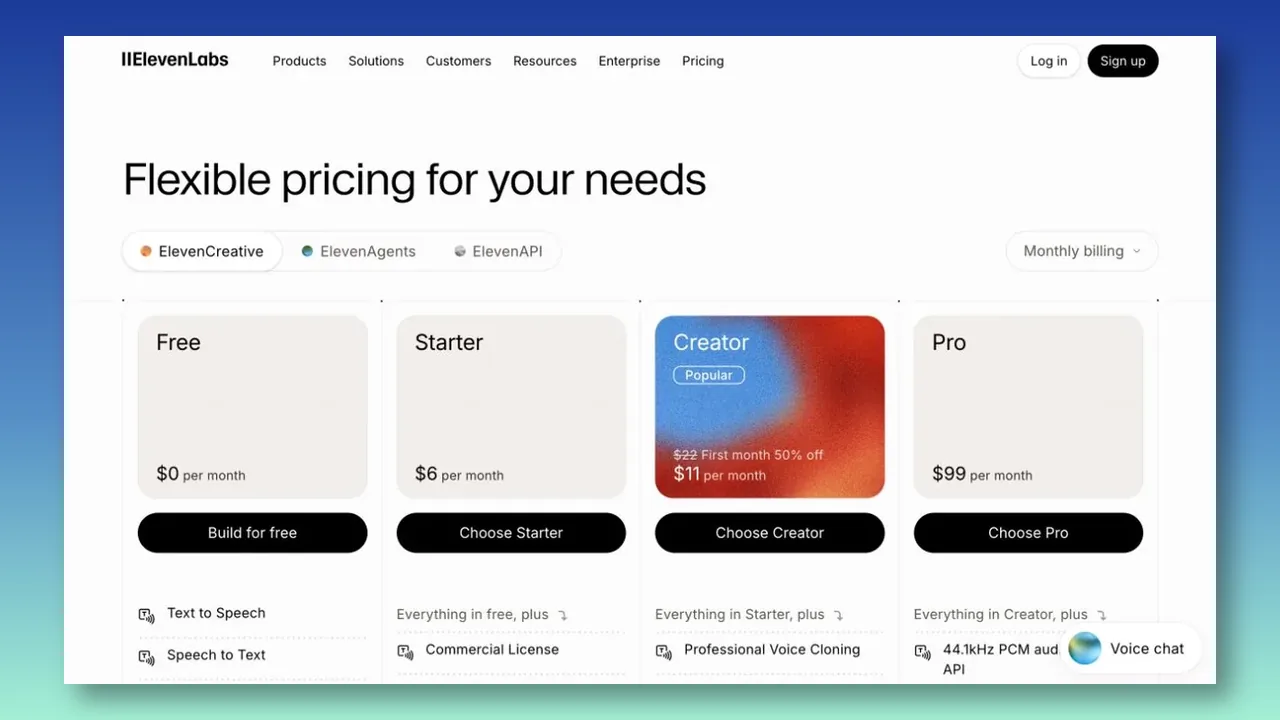
ElevenLabs offers two distinct cloning routes. The $6-per-month Starter plan includes Instant Voice Cloning and 30,000 monthly credits. Creator is listed at $22 per month, with a first-month promotion displayed at the time of writing, and adds Professional Voice Cloning with 121,000 credits. Higher plans increase credits, seats, and professional-clone capacity on the ElevenLabs pricing page.
Instant Voice Cloning is designed for fast setup with less than two minutes of audio. Professional Voice Cloning is intended for higher-consistency production; ElevenLabs recommends at least one hour of training audio and ideally closer to three hours in its Professional Voice Cloning guide. Professional clones also require verification and can only be created for your own voice.
Paid generations include commercial rights, and unused credits can roll over up to the provider’s stated limit while the subscription remains eligible. Because different models consume credits differently, estimate cost with the exact model and monthly script volume rather than treating one credit as a fixed amount of finished audio.
Consider ElevenLabs when you need a quick prototype plus a defined upgrade path to a more extensively trained clone, or when API access and model choice are central to the workflow.
Descript: voice cloning inside an editing suite
Descript offers custom voice clones as part of its audio and video editor. It is most relevant when a team wants to generate or repair narration inside the same script-based workflow used for recording, transcription, and video production.
The pricing page lists AI Speech with custom voice clones on paid plans. Regular monthly pricing is $24 per person for Hobbyist, $35 for Creator, and $65 for Business; annual billing lowers the displayed monthly equivalent. Each tier combines media hours with AI credits, so the useful limit depends on the complete Descript workflow rather than voice generation alone.
Before creating or publishing a custom clone, establish the speaker’s authorization and check Descript’s current requirements. The workflow benefit is that generated clips stay inside the same script-based editor used for recording, transcription, and video production.
Consider Descript when voice cloning mainly supports podcast or video editing. It may be less economical when you need only a standalone cloning service and will not use the surrounding editor.
Resemble AI: deployment flexibility for technical teams
Resemble AI offers Rapid Clone and Professional Clone workflows through Resemble Voice Creation. Rapid Clone can start with about 10 seconds of audio and produce a functional voice in under a minute. Professional Clone uses roughly 10 to 25 minutes or more and is designed for greater consistency and expressive range.
The platform supports cloud APIs, an open-source self-hosted model, and on-premises deployment. Its public product page says a single cloned voice can generate speech across 23 languages and that professional cloning requires explicit, verifiable consent.
Resemble’s Voice Creation page says the Voice Cloning API requires a Business plan or higher, but it does not publish a current price for that access. Request an up-to-date quote that specifies cloning, deployment, watermarking, support, and usage terms rather than relying on a historic plan price.
Consider Resemble AI when deployment control, API integration, multilingual reuse, watermarking, or self-hosting matters more than a low-cost creator subscription. Confirm which capabilities are included in the commercial plan you are quoted.
Murf AI: managed cloning for enterprise projects
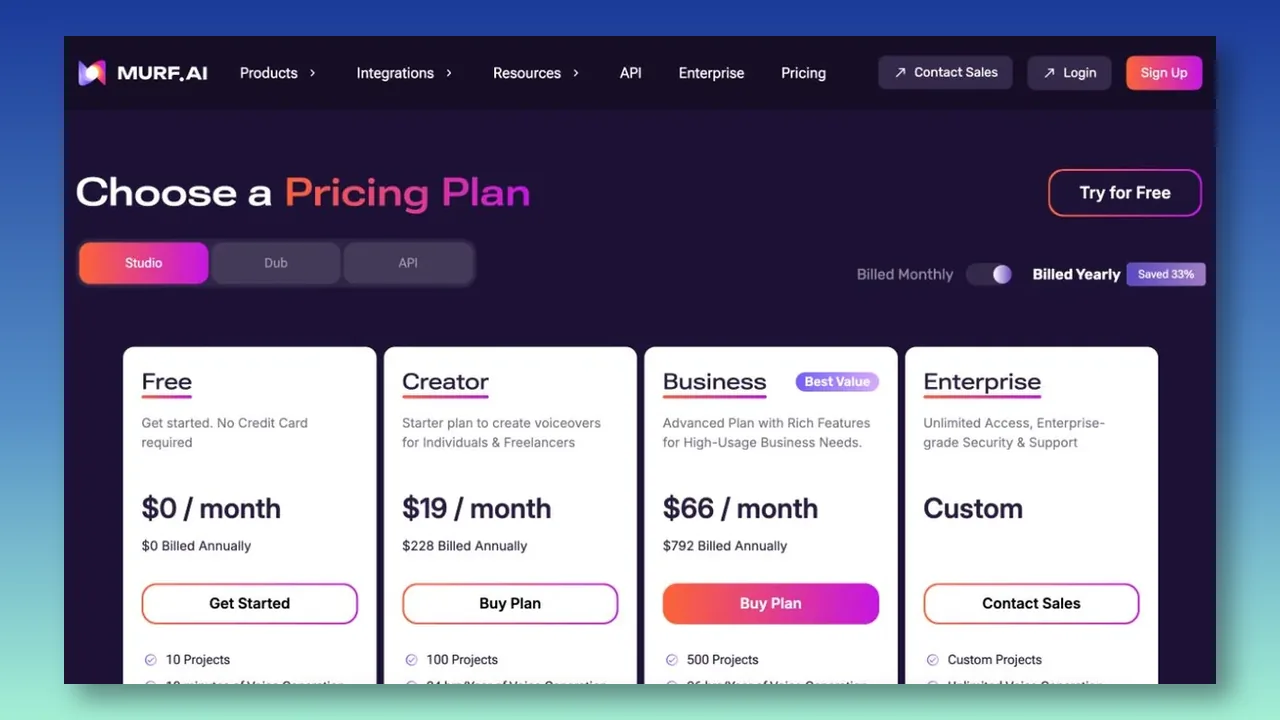
Murf sells self-serve Creator and Business plans for stock voice production, but custom voice cloning is not currently self-serve. Murf’s help center says cloning is available through its Enterprise plan with custom pricing and a dedicated team.
Murf’s cloning process calls for roughly one to two hours of clean, studio-quality recording for each voice style. The provider estimates one to four weeks to build the resulting model.
That managed process is a different purchase from an instant clone. It may suit a company developing a controlled brand voice, localization program, training library, or other production system where onboarding support and exclusive access matter more than immediate setup.
Consider Murf when you have an enterprise use case, professional recording resources, and time for a managed build. Do not assume the standard $19 Creator plan includes a custom voice clone.
What published prices can miss
A plan price does not necessarily equal a production budget. Typecast keeps Studio and API subscriptions separate, while ElevenLabs says its credit pool is shared across products. Descript combines media hours and AI credits, and its Creator plan offers top-ups. Those structures can be sensible, but they make it important to model the exact workflow rather than compare only the headline price.
Build the estimate around finished output: the number of scripts, languages, collaborators, voice slots, revisions, and API calls you expect in a representative month. Then identify what happens after the allowance is used—whether you can buy more credits, are moved to a higher tier, or must request a custom quote. For a client project, also separate the recurring production cost from one-time recording, legal review, and implementation work.
Commercial rights, consent, and deployment
A paid plan’s commercial license is not a substitute for the right to use a person’s identity and voice. Before recording or uploading training data, document the speaker’s informed authorization, the permitted channels and territories, whether the clone can be shared with a client or team, and what should happen to the data and model when a campaign or employment relationship ends.
Provider safeguards also differ. ElevenLabs’ Professional Voice Cloning documentation limits that workflow to the voice owner and requires verification. Resemble says Professional Clone requires explicit, verifiable consent, while Murf describes a managed Enterprise process built around supplied recordings. Treat these product rules as a baseline—not as a replacement for your own release, client agreement, or legal review where the use is high-stakes.
Deployment can change the buying decision even when the audio sounds similar. A self-serve editor may be right for a content team; an API may matter to a product team; and self-hosted or on-premises options may be relevant when voice data, security review, or infrastructure controls are part of the requirement. Define that requirement before comparing samples, because it can rule out an otherwise inexpensive plan.
When a human voiceover is the better choice
A clone is not automatically the best choice for every project. Use a human performer when the brief depends on a new creative interpretation, nuanced direction during the session, a distinctive character performance, or a relationship in which the talent’s approval and participation are central to the work.
A voice clone can be a strong fit when an approved voice must stay consistent across routine updates, versions, and languages. The practical choice is often a blended workflow: record and approve the voice with the performer, then use the clone only for the uses covered by the agreement and subject to an editorial quality check before release.
Which voice cloning service fits your workflow?
- Choose Typecast when you want a self-serve creator workspace with time-based download credits, expressive controls, and a separate instant-cloning API option.
- Choose ElevenLabs when you want to move from a quick instant clone to a professional clone with a larger training dataset and broad API support.
- Choose Descript when your primary job is editing podcasts or videos and the clone will be used to repair or generate lines inside that project.
- Choose Resemble AI when your team needs API-first voice creation, multilingual deployment, watermarking, self-hosting, or on-premises infrastructure.
- Choose Murf when you want a managed enterprise clone built from professional recordings rather than a self-serve tool.
These are workflow matches, not universal rankings. Audio quality is subjective and can change with the script, language, recording source, and model settings. Use the same test material across shortlisted services before making a final decision.
How to test a voice cloning service before buying
- Use one consented speaker and prepare a short test set that includes normal narration, brand names, numbers, acronyms, emotional lines, and any secondary language you plan to publish.
- Generate the same script in each service. Compare the first result and the time needed to correct pronunciation, pacing, emphasis, and unstable delivery.
- Estimate monthly usage from final audio plus expected revisions. A ten-minute finished video may require substantially more than ten minutes of generation when several lines are regenerated.
- Check commercial rights, attribution, voice ownership, collaborator access, API terms, and what happens to the model if you downgrade or cancel.
- Calculate the cost of the plan that actually includes cloning—not the provider’s lowest advertised text-to-speech tier.
Frequently asked questions
Are there free AI voice cloning services?
Some providers offer limited cloning access, but “free voice AI” may refer only to stock text-to-speech voices. Typecast’s Free plan does not include a cloning slot, while Basic includes Instant Cloning. ElevenLabs begins Instant Voice Cloning on its paid Starter tier. Check the current plan terms and licensing before publishing or monetizing any output.
How much audio is needed to clone a voice?
It ranges from about 10 seconds for an instant or rapid clone to hours of clean audio for a professionally trained model. More input does not automatically guarantee better output: recording consistency, noise, pronunciation, and coverage of the intended speaking style also matter.
Can you clone someone else’s voice?
Do not clone or publish another person’s voice without their informed authorization. Providers use different consent and verification processes, and commercial projects may require additional contractual rights beyond platform access.
Choose based on the complete production workflow
The most useful AI voice cloning service is the one that fits your recording resources, editing process, publishing rights, monthly output, and governance requirements. Compare the real cloning tier, not the headline starting price, then test the same script before committing to a long subscription or enterprise contract.
If you are still deciding how to prepare recordings and evaluate a clone, read the AI voice cloning how-to guide. To assess Typecast’s self-serve workflow directly, visit Typecast Voice Cloning.