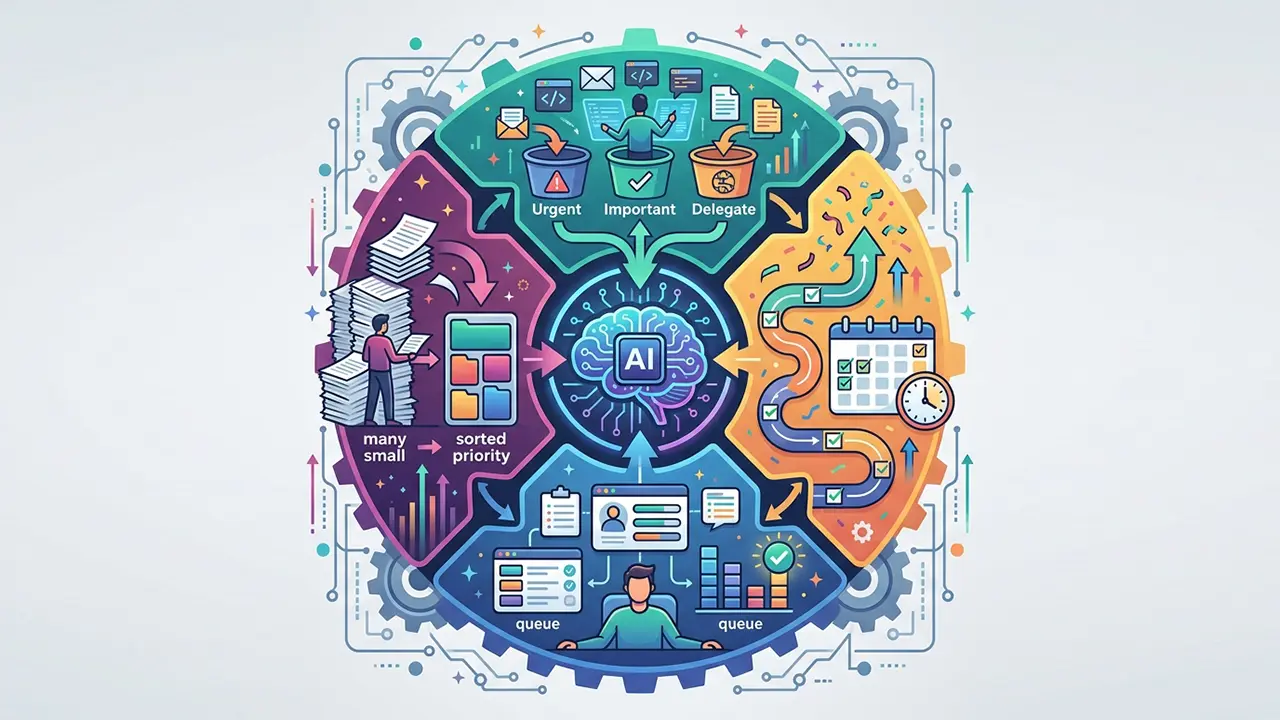





Feeling buried under an endless to-do list is something most professionals experience daily. AI task prioritization is changing how teams and individuals decide what to work on first, replacing gut instinct with data-driven clarity.
Instead of spending the first hour of your morning sorting through emails and sticky notes, intelligent tools can now analyze deadlines, dependencies, and effort levels to tell you exactly where to focus.
In this guide, we’ll walk through how to actually use AI to prioritize tasks and manage your workload more effectively — without overcomplicating your existing routine.
Why traditional task management falls short

Most people rely on simple to-do lists, spreadsheets, or basic project boards. These tools are fine for capturing tasks, but they don’t help you decide what matters most.
The problem grows as responsibilities stack up:
- Tasks pile up without clear ranking
- Urgent items crowd out important, long-term work
- Shifting priorities cause constant re-sorting
- Team members duplicate effort or miss handoffs
As Harvard Business Review contributor Charlotte Lieberman noted in her research on procrastination, “We are not wired to prioritize long-term rewards over short-term comfort” (Harvard Business Review, 2019).
This is exactly where AI fills the gap — it removes the emotional bias from prioritization decisions.
How AI task prioritization actually works
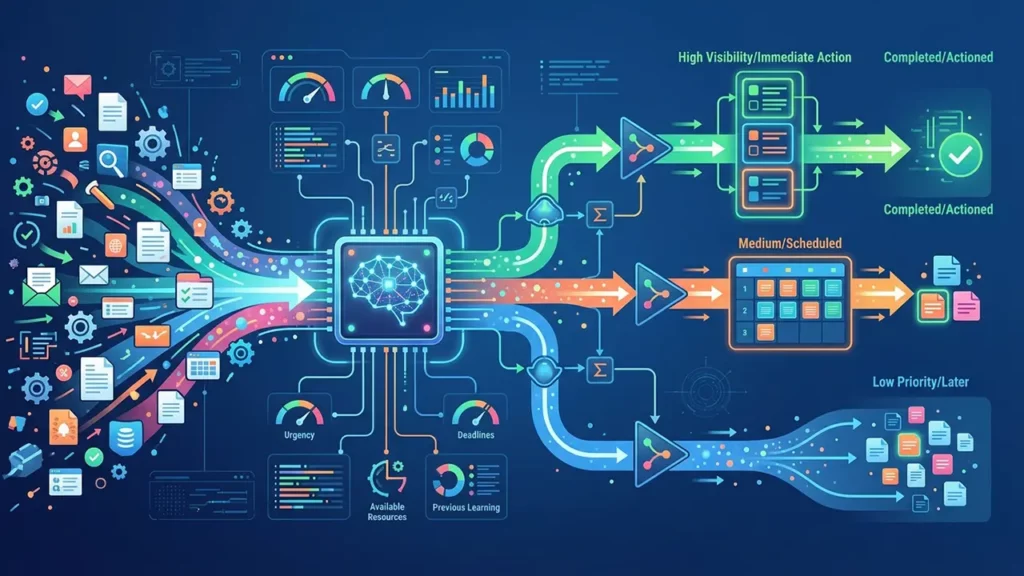
At its core, AI task prioritization uses algorithms to evaluate your tasks against multiple factors simultaneously. While you might weigh one or two variables in your head, AI can process dozens at once.
Factors AI considers when ranking tasks
- Deadline proximity — how soon is the task due?
- Estimated effort — how long will it realistically take?
- Dependencies — does anything else rely on this being finished first?
- Business impact — what is the value or consequence of completing (or missing) it?
- Historical patterns — how long have similar tasks taken you before?
Tools like Asana, Todoist with AI features, and Motion use these inputs to generate a prioritized schedule automatically.
You feed in your tasks, and the AI returns a ranked action plan — updated in real time as things change.
Steps to start using AI for task prioritization

You don’t need to overhaul your entire workflow overnight. Here’s a practical approach to adopting AI-driven task prioritization gradually.
Step 1: Centralize your tasks in one platform
AI can only help if it has access to your full picture. Move tasks from scattered notebooks, email threads, and chat messages into a single tool that supports AI features — such as ClickUp, Motion, or Notion AI.
Step 2: Add context to each task
The more data you provide, the smarter the prioritization becomes. For every task, include:
- A deadline (even an estimated one)
- A priority label (high, medium, low)
- An effort estimate (15 minutes, 2 hours, etc.)
- Any dependencies or related tasks
Step 3: Let the AI generate your daily plan
Once your tasks are loaded with context, allow the AI to sequence your day.
Most AI prioritization tools will build a time-blocked schedule, placing high-impact work during your peak productivity hours and batching smaller tasks together.
Step 4: Review and adjust weekly
AI isn’t perfect on day one. Review the suggested priorities at the end of each week, flag anything that felt off, and the system will learn your preferences over time.
Managing workload beyond just ranking tasks

AI task prioritization handles the “what to do first” question, but AI workload management goes further — it helps balance capacity across an entire team. Managers can use AI dashboards to see who is overloaded, who has bandwidth, and where bottlenecks are forming before they cause missed deadlines.
Managers can use AI dashboards to see who is overloaded, who has bandwidth, and where bottlenecks are forming before they cause missed deadlines.
This becomes especially powerful when combined with broader AI workflows that automate repetitive steps like status updates, meeting summaries, and file organization — freeing up time for the work that actually requires human judgment.
For teams looking to take automation even further, exploring AI workflow automation can help connect these prioritization tools into seamless, end-to-end processes.
Real-world applications worth noting

AI prioritization isn’t limited to project management. Content teams, for instance, use AI to decide which blog posts to create first based on keyword opportunity and audience demand.
Video producers use tools like an AI voice generator to speed up narration tasks so they can focus creative energy on higher-priority storytelling work.
Sales teams use AI to rank leads by conversion likelihood, ensuring reps spend time on the most promising prospects.
Key takeaways
- AI task prioritization eliminates guesswork by ranking your work using data, not instinct
- Start small — centralize tasks, add context, and let AI sequence your day
- Use AI not just for ranking but for balancing workload across teams
- Review AI suggestions weekly to improve accuracy over time
The shift from manual sorting to intelligent AI task prioritization isn’t about replacing your judgment — it’s about giving your judgment better information to work with.