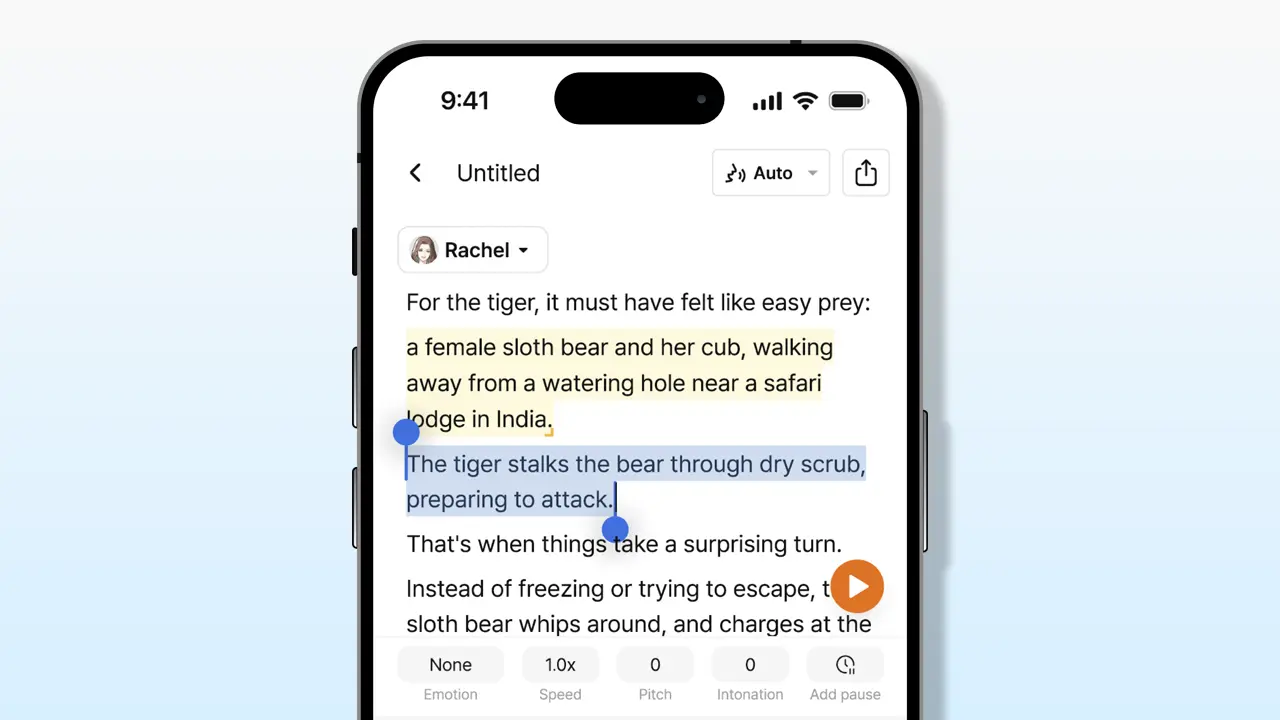





Text-to-speech (TTS) mobile technology on smartphone devices offers a convenient way to convert written content into spoken words, so why use text-to-speech on mobile devices?
Mobile TTS solutions serve a broad range of purposes: supporting individuals with visual impairments, assisting those with learning disabilities, and providing hands-free content consumption for everyone.
With increasing adoption of smartphones and tablets, text-to-speech mobile is now more accessible than ever, making it easy to convert emails, articles, or eBooks into audio.
Whether you want to multitask, rest your eyes, or gain access to information regardless of reading ability, text-to-speech mobile adds significant value to the mobile experience.
How mobile text-to-speech reads web pages and documents
Reading web pages with TTS apps and browser extensions
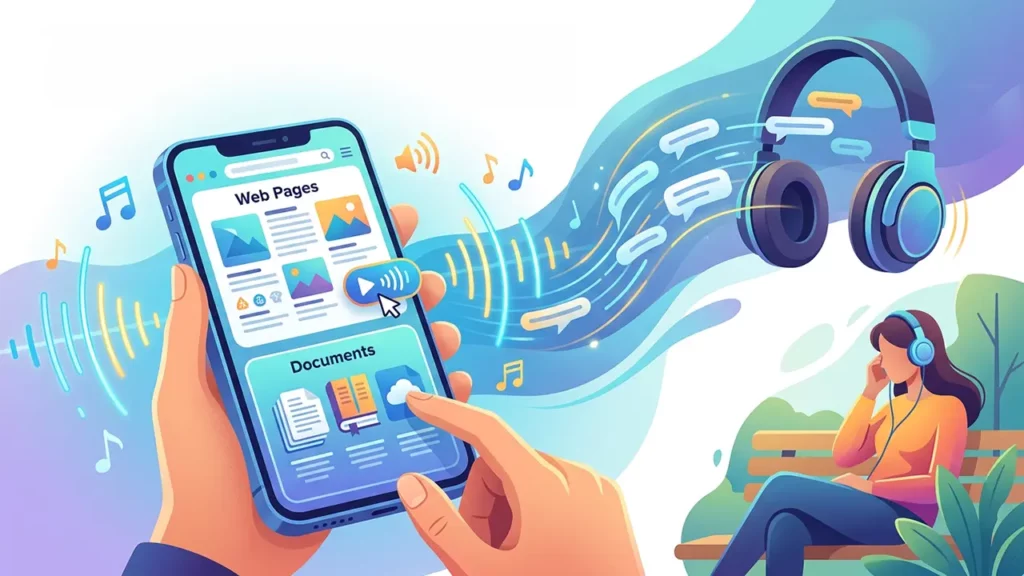
Mobile TTS apps and browser-based extensions enable users to listen to the content of web pages.
Apps like Voice Aloud Reader for Android or Speech Central for iOS can extract text from browsers, RSS feeds, and reading lists.
Many modern mobile browsers, such as Safari on iOS and Microsoft Edge for Android, offer built-in “Read Aloud” features, reading web pages without needing separate apps.
Browser extensions and plugins, while more common on desktop, have mobile counterparts and integrations—these extensions can simplify page content, strip out ads, and accurately convert articles into spoken audio for uninterrupted listening.
Supported document formats (PDF, Word, eBooks)
Leading mobile Text-to-Speech (TTS) solutions support a broad range of document formats to meet diverse user requirements. The key supported formats include:
PDF files
- Supported by most TTS readers.
- Some readers offer advanced navigation features.
- Capability to read scanned documents via Optical Character Recognition (OCR).
Word documents (.doc, .docx)
- Supported by popular apps such as Voice Dream Reader and NaturalReader.
eBooks (ePub, mobi)
- Support primarily for DRM-free eBooks.
- Some TTS readers integrate directly with Kindle or Apple Books.
Plain text, HTML, RTF, and Markdown
These additional text formats are widely recognized by robust TTS applications.
Mobile app features for text-to-speech reading
Modern text-to-speech (TTS) apps on mobile devices offer a variety of features designed to enhance the user experience. Key features include:
- Adjustable reading speed and pitch to customize voice output
- Highlighting of spoken words to facilitate follow-along reading
- Bookmarking and playback controls for easy navigation
- Support for offline voice models to use without internet connection
- Cloud syncing and integration with popular services such as Dropbox and Google Drive
- Sleep timers and background playback to manage listening sessions conveniently
These features make text-to-speech mobile adaptable to different reading habits and accessibility requirements.
Accuracy and naturalness of mobile speech synthesis

Neural TTS models and human-like voices
Advancements in neural networks have significantly improved the realism of mobile TTS voices.
Neural TTS models, such as Google’s WaveNet and Apple’s Enhanced Voices, deliver natural inflection, smoother pitch transitions, and more expressive speech that closely mimics human conversation.
These realistic voices enhance comprehension and reduce listener fatigue.
Text accuracy and pronunciation
Modern TTS engines are adept at parsing complex sentences, names, and acronyms for accurate pronunciation.
Some apps provide customizable dictionaries, allowing users to correct persistent mispronunciations or regional names.
Professional TTS services often include continual updates to language models to improve accuracy further.
Latency and speed on mobile devices
On-device TTS synthesizers are engineered for low latency, delivering near-instant voice playback without noticeable interruption.
Speed controls let users adjust the words-per-minute pacing to suit their listening comfort or productivity needs, with high-end models offering real-time response even for lengthy documents.
Limitations and challenges
Text-to-speech (TTS) technology on mobile devices has made significant progress but still encounters several challenges.
Below is a clear summary of these issues along with ongoing efforts to improve the technology:
- Pronunciation issues: Difficulty accurately pronouncing complex or unusual words.
- Formatting challenges: Problems handling tables, charts, or heavily formatted text.
- Monotony: Speech can become monotonous, especially during long listening sessions.
Ongoing development focuses:
- Enhancing context analysis to better understand and interpret text.
- Improving intonation to make speech sound more natural and dynamic.
Despite these efforts, complete parity with human speech remains to be achieved.
Language support in mobile text-to-speech solutions
Commonly supported global and regional languages
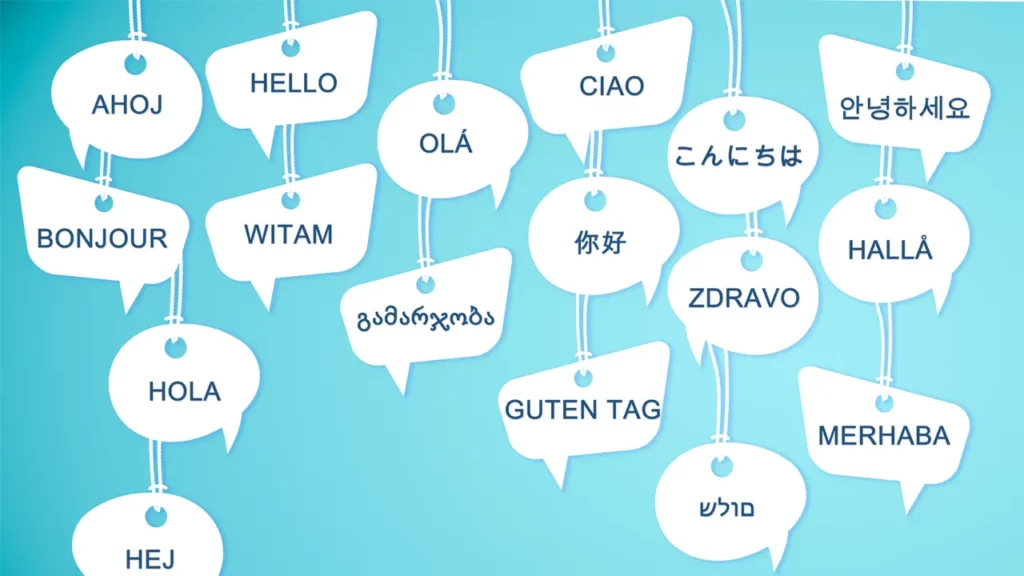
Mobile TTS engines typically support a wide assortment of global languages—English, Spanish, French, German, Mandarin, and more.
Many also provide regional accents and dialect variants to accommodate different user preferences.
Differences across platforms and apps
The following list highlights the language and voice support provided by iOS and Android platforms for text-to-speech functionality:
iOS:
- Supports over 40 languages and dialects.
- Provides multiple voice options in select languages.
Android (Google Text-to-Speech):
- Offers dozens of voices for languages worldwide.
- Voice availability can vary depending on the device manufacturer and OS version.
App developers add further customization, with some third-party apps expanding the language roster or enhancing the naturalness of regional accents.
Expanding language options with cloud and third-party apps
Cloud-connected TTS solutions—like Microsoft Azure TTS or Google Cloud Text-to-Speech—offer even broader language and voice choices by streaming audio instead of relying on pre-installed voices.
Apps such as Speech Central, NaturalReader, and Voice Dream Reader tap into these cloud TTS services, bringing dozens of additional languages and specialized voices to mobile users.
Accessibility benefits of mobile text-to-speech tools

Support for visual impairments and screen readers
TTS is a vital technology for users with low vision or blindness.
Built-in screen readers (VoiceOver on iOS, TalkBack on Android) provide spoken feedback across all areas of the device, including system interfaces, web pages, and documents.
These tools make it possible to navigate, interact, and consume digital content without needing to see the screen.
Aid for learning and cognitive disabilities
Mobile Text-to-Speech (TTS) tools offer various benefits tailored to different learning needs.
Here is a detailed breakdown of how these tools support users:
Support for Individuals with Dyslexia:
- Allows users to follow along visually as the text is read aloud.
- Reinforces comprehension and retention of the material.
Benefits for Users with Attention Disorders:
- Provides information in audio format, which may be easier to process.
Features of Some TTS Apps:
- Highlight words as they are spoken.
- Aid in word recognition.
- Assist in vocabulary development.
This structured overview highlights the key advantages and functionalities of Mobile TTS tools for diverse learners.
Physical accessibility and hands-free use
Text-to-speech mobile offers hands-free operation for people with motor impairments or users who are multitasking (e.g., cooking, driving).
Voice command integration, such as through Siri or Google Assistant, enables complete control over TTS functions without manual input.
Situational use cases and inclusive design
TTS isn’t just for users with disabilities. It’s beneficial in situations where visual access is limited—while commuting, exercising, or working in bright sunlight.
Inclusive app design, incorporating robust text-to-speech mobile, ensures all users can participate fully in today’s digital world.
Popular third-party mobile text-to-speech apps

Overview of top apps by use case and platform
Some standout third-party TTS apps for mobile include:
Typecast Lite (iOS/Android)
Typecast Lite is the clear winner among mobile text-to-speech (TTS) apps, praised for its natural, human-like voices and seamless experience across devices. It offers advanced customization options that cater to both casual users and professionals.
- Cross-device syncing: Your settings and projects sync effortlessly between your phone, desktop, and tablet.
- Extensive language support: Access voices in multiple languages to suit global users.
- Credit system: Charges credits only when you download audio, allowing unlimited voice generation for free previews.
- Authentic voices: Uses voices created by real, fully compensated voice actors, ensuring realistic and ethical AI voice synthesis.
Voice Dream Reader (iOS/Android)
Voice Dream Reader is widely popular in education and accessibility sectors due to its support for a broad range of file formats and languages.
- Supports PDFs, Word documents, and web pages.
- Offers customizable reading speeds and voice options.
- Designed to assist users with reading difficulties or visual impairments.
NaturalReader (iOS/Android)
NaturalReader is known for its high-quality voices and compatibility with many document types.
- Supports various formats such as PDFs, TXT, and eBooks.
- Offers a straightforward user interface.
- Includes options to personalize voice speed and pitch.
Speech Central (iOS/Android)
Speech Central is ideal for reading web pages, news feeds, and PDF documents, making it great for keeping up with current events and research.
- Automatically imports articles and news feeds.
- Supports text navigation and bookmarking.
- Integrates with various online sources for easy content import.
@Voice Aloud Reader (Android)
@Voice Aloud Reader is favored for reading emails, documents, and clipboard text, especially useful for multitasking.
- Reads aloud copied text automatically.
- Supports sharing text from other apps.
- Customizable voice settings for a personalized listening experience.
Speechify (iOS/Android)

Speechify focuses on productivity and multitasking with a user-friendly interface and real-time syncing across devices.
- Enables listening while performing other tasks.
- Syncs reading progress and settings across iOS and Android.
- Features high-quality voices optimized for focused listening.
Free vs paid TTS apps and features
TTS apps vary in pricing and feature set:
- Free TTS apps: Typically limited to basic voices and document formats, often ad-supported.
- Paid or subscription-based apps: Unlock premium human-like voices, advanced controls, offline support, cloud storage integration, and priority support.
Trial versions can help users evaluate voice quality and usability before committing.
Recommendations based on user needs
- For professional voices and cross-device syncing: Typecast Lite, Speechify or NaturalReader.
- For robust accessibility and format versatility: Voice Dream Reader.
- For best free option: @Voice Aloud Reader (Android) or Speech Central (iOS/Android).
- For language learners: Choose apps with highlight-following and dictionary support.
Offline functionality in mobile text-to-speech mobile apps

On-device speech synthesis architecture
Offline TTS relies on local storage of voice models and synthesis engines. Both iOS and Android permit downloading specific voices and languages, enabling speech conversion without an internet connection.
Voice model bundling and downloading
Many mobile platforms prompt users to download additional voices that are not installed by default. These voice bundles range in size depending on their naturalness and language complexity.
Model optimization and inference engines
Efficient model design ensures that even advanced neural voices can run smoothly on mobile hardware without excessive battery drain or storage consumption. Engine optimizations deliver quick and responsive speech, even for lengthy or complex documents.
Hybrid online-offline TTS approaches
Some TTS apps use hybrid models: locally stored basic voices for offline use, with access to premium, cloud-based voices when online. This approach balances quality and availability, ensuring users have access to text-to-speech mobile in any situation.
Enabling and customizing text-to-speech mobile on iOS and Android
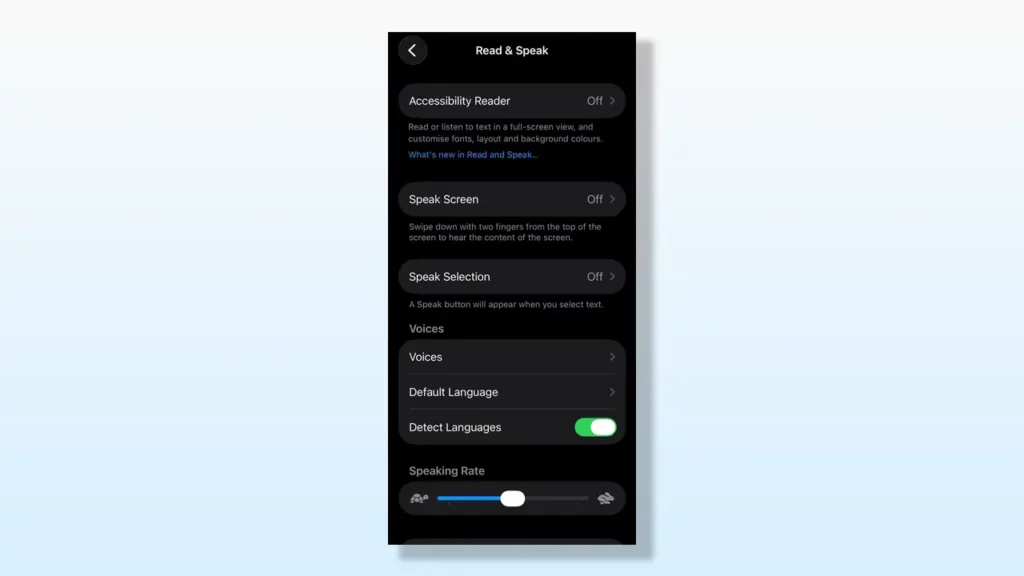
Steps to enable TTS on iPhone and iPad
- Open Settings
- Tap Accessibility
- Go to Read & Speak
- Toggle on Speak Selection or Speak Screen
- Tap Voices to select or download different voices and dialects
Steps to enable TTS on Android devices
- Open Settings
- Navigate to Accessibility > Text-to-Speech Output
- Select preferred TTS engine (Google, Samsung, or third-party)
- Tap Settings to adjust rate, pitch, and voices
- For full screen reading: Enable Select to Speak or TalkBack
Voice selection, speed, and pitch controls
Both platforms allow users to:
- Choose from local and downloadable voices with various accents and genders.
- Adjust speech rate (words per minute) to suit personal preferences.
- Modify pitch (typically in advanced settings).
Experimenting with these controls helps tailor TTS output for clarity and comfort.
Comparing built-in text-to-speech mobile features on iOS and Android
System architecture and integration
Both iOS and Android deeply integrate TTS engines into their operating systems:
- iOS: Features VoiceOver and Speak Screen capabilities, system-wide.
- Android: Includes Google Text-to-Speech and TalkBack, accessible by all apps that request TTS services.
Accessibility features and user interaction
Both platforms support:
- Voice feedback for UI navigation
- Detailed customizations within accessibility settings
- Third-party TTS engine support
Android offers more flexibility in swapping default engines, while iOS keeps TTS tightly connected to its own system.
Customization and voice updates
- iOS: Lets users select voices, download additional ones, and adjust speed/pitch. Voice updates come through system updates.
- Android: Users may add voices and adjust speech rate/pitch within settings, or download new engines (e.g., from Samsung, Google, third parties).
App integration and consistency
iOS and Android provide APIs allowing app developers to trigger TTS functions, but consistency and availability of advanced voices may differ depending on system and app version. Generally, Android offers more third-party integration flexibility, while iOS emphasizes a consistent, curated experience.
Summary of mobile text-to-speech options and best practices

Key takeaways on mobile text-to-speech capabilities
- Mobile TTS solutions now offer realistic voices, wide language support, and extensive accessibility tools.
- Users can listen to web pages, documents, and eBooks in dozens of formats, with features like highlighting and offline support.
Choosing the right TTS solution for your needs
- For basic reading, built-in system TTS is often sufficient.
- Advanced needs (natural voices, format versatility, cloud voices) may warrant premium third-party apps.
- Consider your specific use case: accessibility, multitasking, language learning, or productivity.
Future trends in mobile text-to-speech
- Expect further improvements in neural voice quality and multi-language support.
- Voice personalization and contextual awareness will enhance the experience.
- Deeper integration with smart assistants and wearables will expand TTS usability.
By understanding the wide array of mobile text-to-speech options, users can select and customize a text-to-speech solution that elevates their device, enhances accessibility, and streamlines daily tasks.