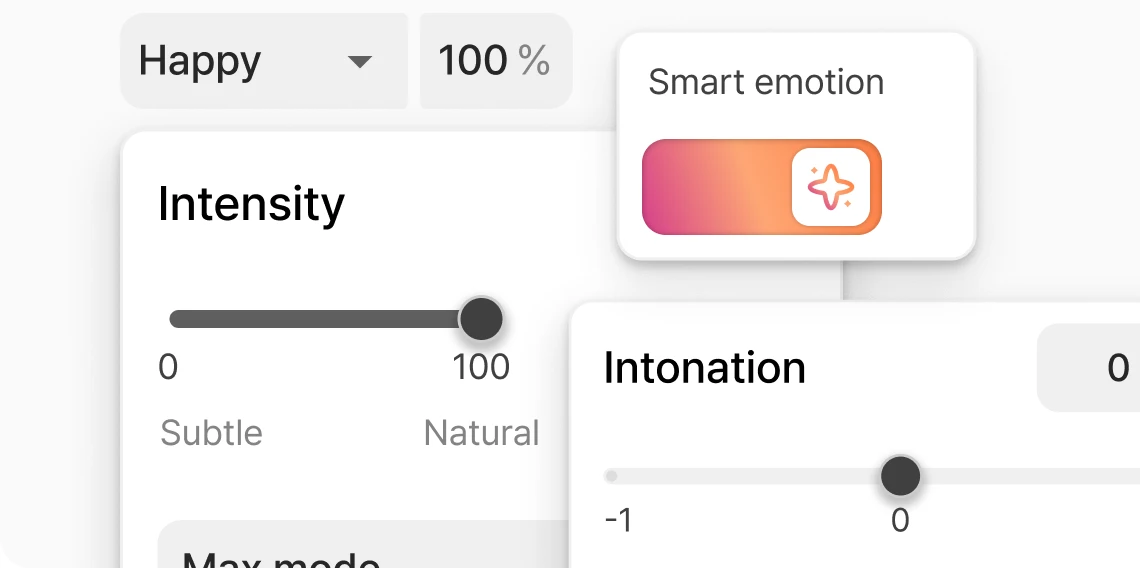




Fine-tune every detail
Adjust emotion, pitch, speed, intonation, and dynamics with precise controls for a natural-sounding TTS voice.
Turn any script into natural, expressive text-to-speech voices for storytelling, videos, ads, podcasts, apps, and more.
So, get this. Smart Emotion. You just throw in your words and suddenly the voice, like… like it comes alive. Now listen: Luma cried, “It's too loud, I can't take it!” Slowly, the forest grew still again, and Luma whispered, “It's peaceful now.”
With the cloned voice:
700+ exclusive TTS AI voices from real voice actors.
Explore more voicesFine-tune speed, pitch, emotion, and dynamics to get that perfect voice, or let one-click Smart Emotion handle it for you.
Try for freeAdjust emotion, pitch, speed, intonation, and dynamics with precise controls for a natural-sounding TTS voice.
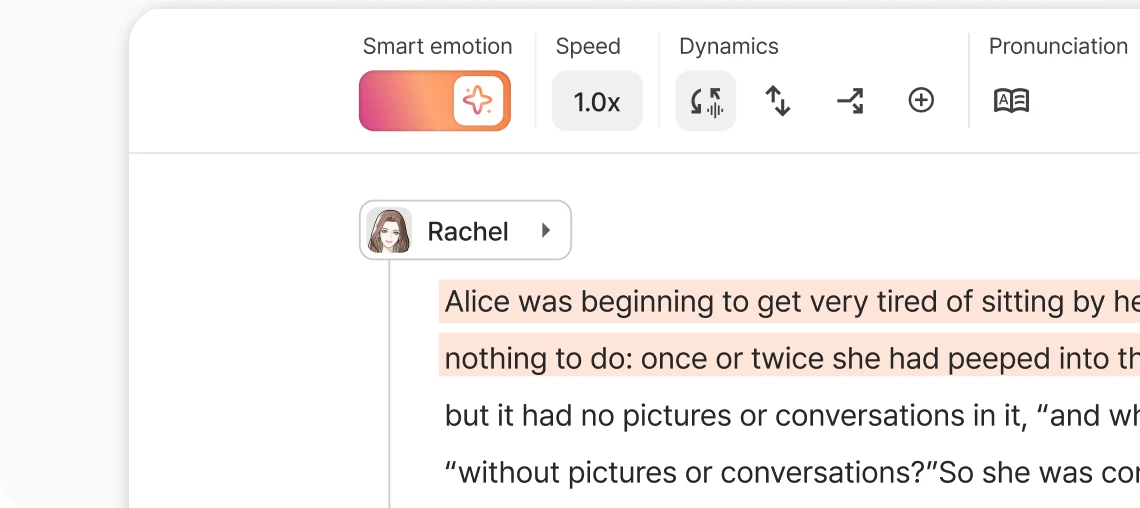
With Smart Emotion, AI understands your script's context and auto-adjusts emotion, tone, and speed in just one click.
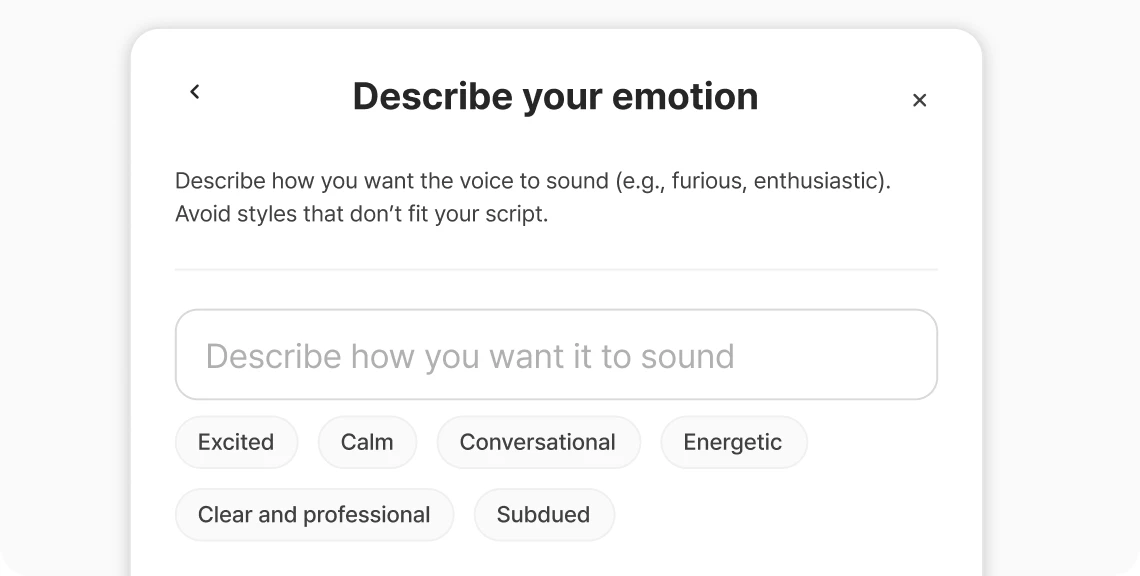
Personalize any voice for your script. Not quite how you want it expressed? Create your own style with prompts or audio.
Adjust emotion, pitch, speed, intonation, and dynamics with precise controls for a natural-sounding TTS voice.
With Smart Emotion, AI understands your script's context and auto-adjusts emotion, tone, and speed in just one click.
Personalize any voice for your script. Not quite how you want it expressed? Create your own style with prompts or audio.
Whether you're working solo or at scale, Typecast gives you the speed, flexibility, and voice quality to get it done right.
Try for freeSave on production costs
No need for mics, studios, or voice actors: Typecast cuts production costs by up to 75%.

Control emotion and tone
Shape how each line feels. Adjust emotion, intensity, and delivery style to match your story.

Premium AI voices in 35+ languages
English, Spanish, Korean, Japanese, Chinese, and Vietnamese, plus more when you need global reach.

Fine-tune pronunciation, pitch, and pacing
Dial in the details. Change how words are spoken and how they sound, right down to pitch, stress, and rhythm.

Unlimited regeneration
Not quite right? Regenerate as many takes as you need. No extra cost, no extra wait.

Choose from 700+ voice characters
Pick the perfect voice for your project. From playful to professional, our library has range and personality built in.

Most text-to-speech (TTS) tools turn text into audio and stop there. Typecast lets you control emotion, tone, pitch, and speed independently, so the voice sounds exactly the way you intended.
Try Typecast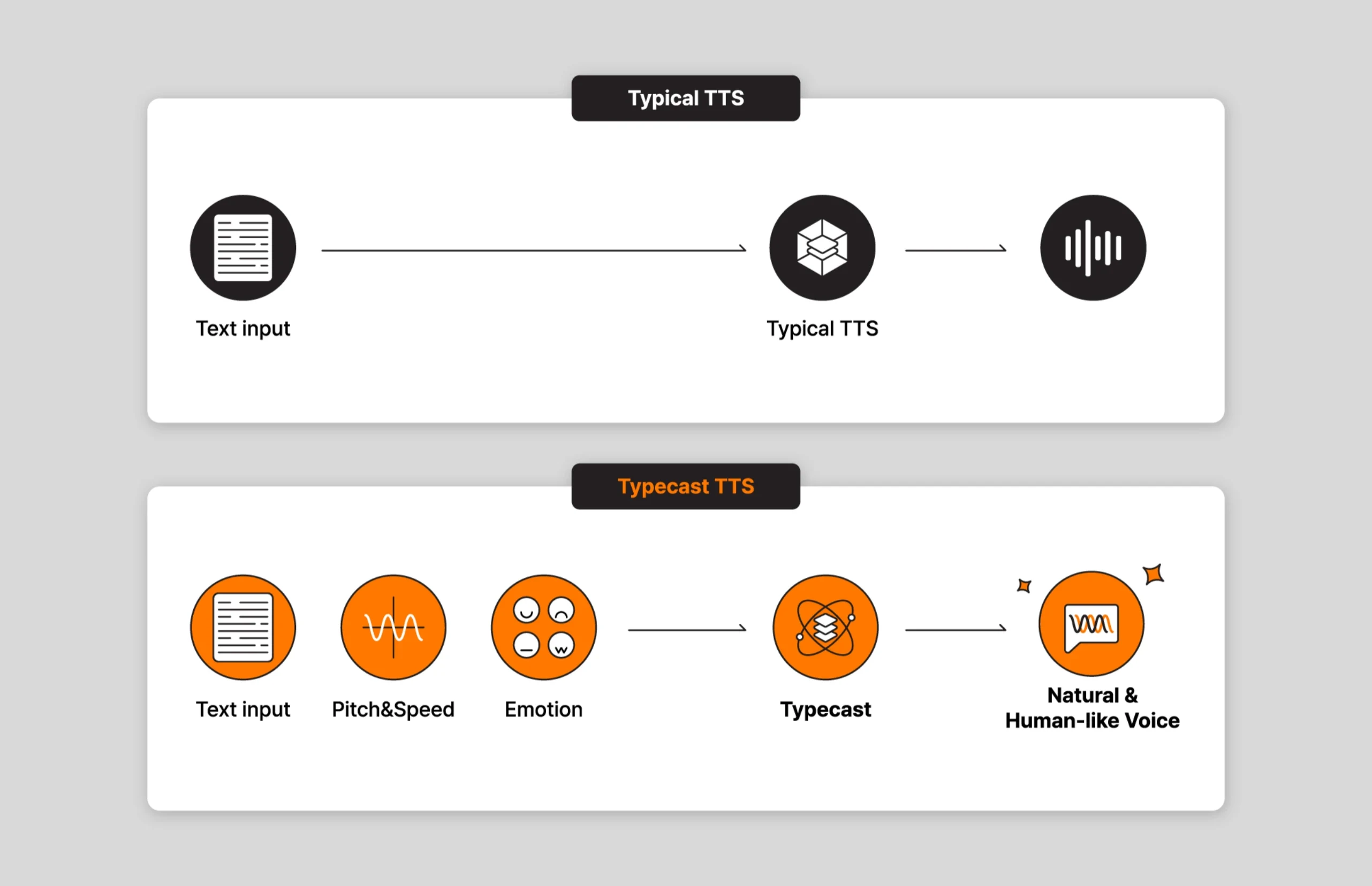
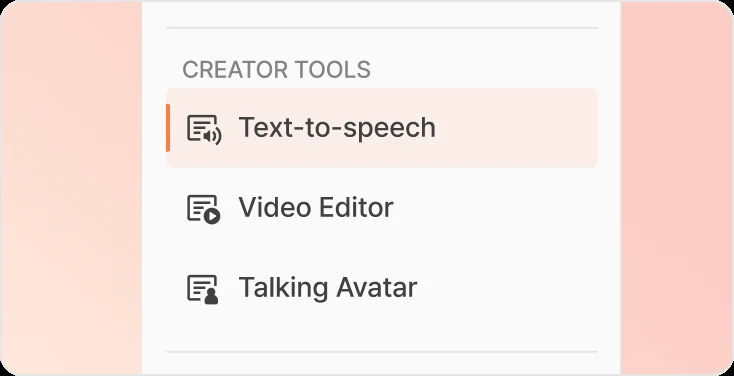
Just click "Text-to-Speech" in the menu to open Typecast's text-to-speech tool and bring your words to life.
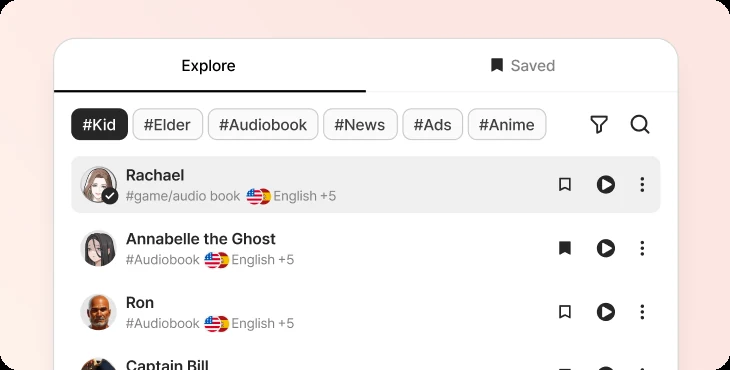
Use filters for age and personality to narrow down the 700+ voices, or just go with one of our top voice picks.
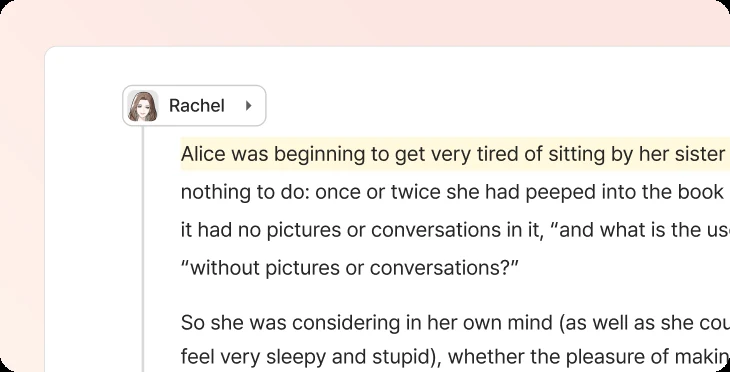
Paste it, write it, tweak it: however you start, we'll make it speak.
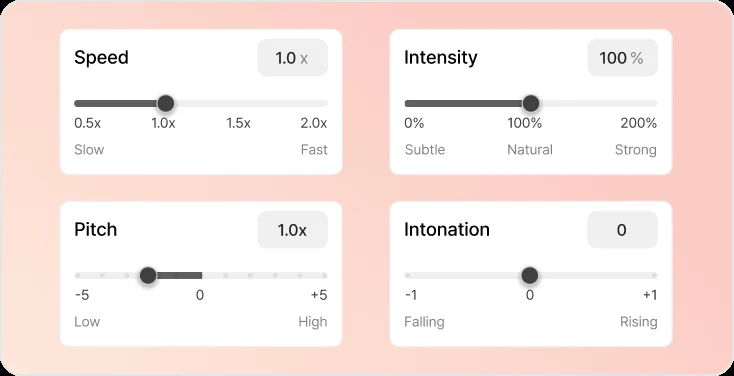
Adjust emotion, pitch, intonation and intensity to get the delivery just right for your project.
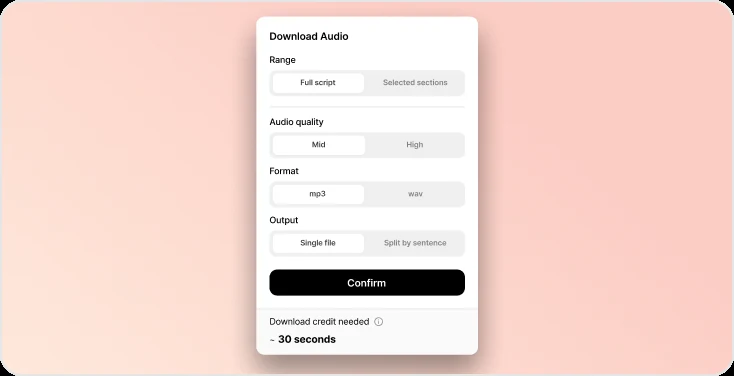
When you're happy with the voiceover, download your finished audio in crisp MP3 or WAV and drop it into your project.
Just click "Text-to-Speech" in the menu to open Typecast's text-to-speech tool and bring your words to life.
Use filters for age and personality to narrow down the 700+ voices, or just go with one of our top voice picks.
Paste it, write it, tweak it: however you start, we'll make it speak.
Adjust emotion, pitch, intonation and intensity to get the delivery just right for your project.
When you're happy with the voiceover, download your finished audio in crisp MP3 or WAV and drop it into your project.
Tips, tricks and tools for creators, developers, and storytellers.

How to Remove Background Noise from Audio: Step-by-Step
Joe Crosby | Oct 20, 2026

How to Make a Podcast Trailer: Script and Voiceover
Hyelee Seo | Oct 19, 2026

Video Localization Checklist: From Script to Final QA
Hyelee Seo | Oct 18, 2026

WAV vs MP3 for Voiceovers: Which Should You Export?
Joe Crosby | Oct 17, 2026

Product Demo Script: 60-Second Template and Example
Joe Crosby | Oct 16, 2026

Audio Ducking: Keep Narration Clear Over Background Music
Hyelee Seo | Oct 15, 2026