Realistic Russian Text-to-Speech

Create professional Russian voice overs with our Russian text-to-speech tool. Perfect for social media, audiobooks, animations, and other online content.

Explore other languages and accents with our AI voices

Typecast supports 35+ different languages and accents with its vast library of multilingual AI voice actors.

The benefits of using Typecast's AI commercial voice over

Uncover the distinct benefits of Typecast's AI voice generator in comparison to other offerings.
Emotion control

Capture the ideal tone for any content—be it funny or serious. Our AI voices adapt to the emotion you want to portray.
AI-powered

Our TTS technology guarantees that every voice flows naturally, providing your content with a polished, professional quality.
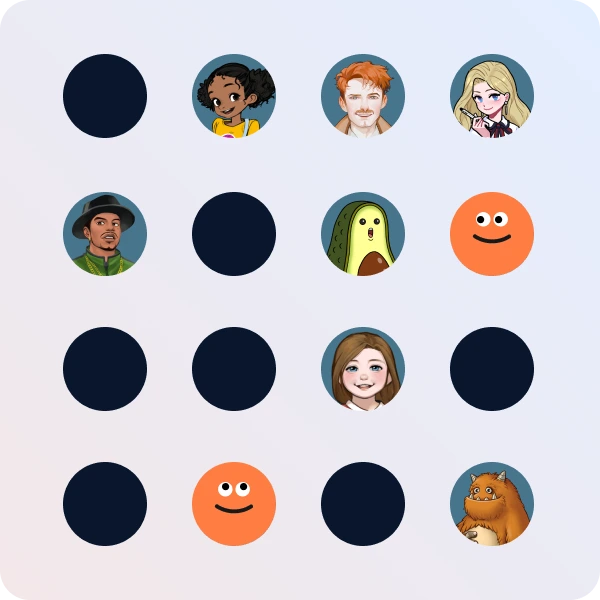
Vast voice collection

Explore our extensive collection of voices, designed for various styles and use-cases. Discover the perfect voice for any project.
Do another take

Not happy with the first take? Fine-tune and adjust the voice until it sounds exactly right, ensuring perfect delivery each time.

How to use Typecast's Russian text-to-speech tool

Create authentic Russian voiceovers with our Russian accent generator quickly and easily by following these simple steps:
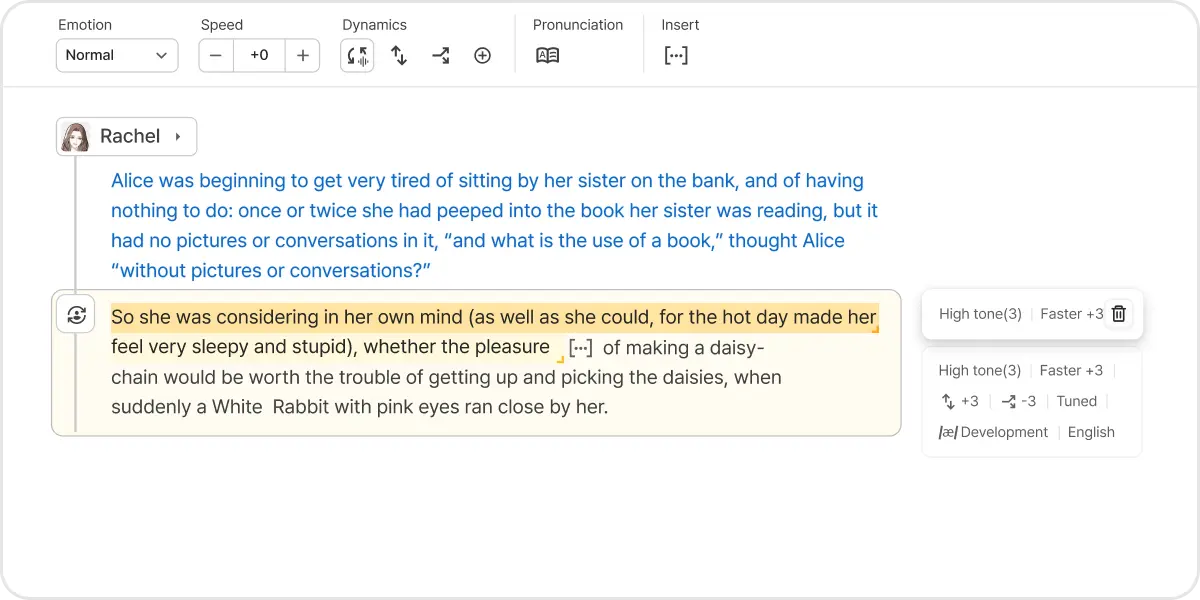
  1. STEP 1

    Visit our Text-to-Speech page

    Access our Russian TTS tool by selecting the Text-to-Speech tool from the menu on the left.
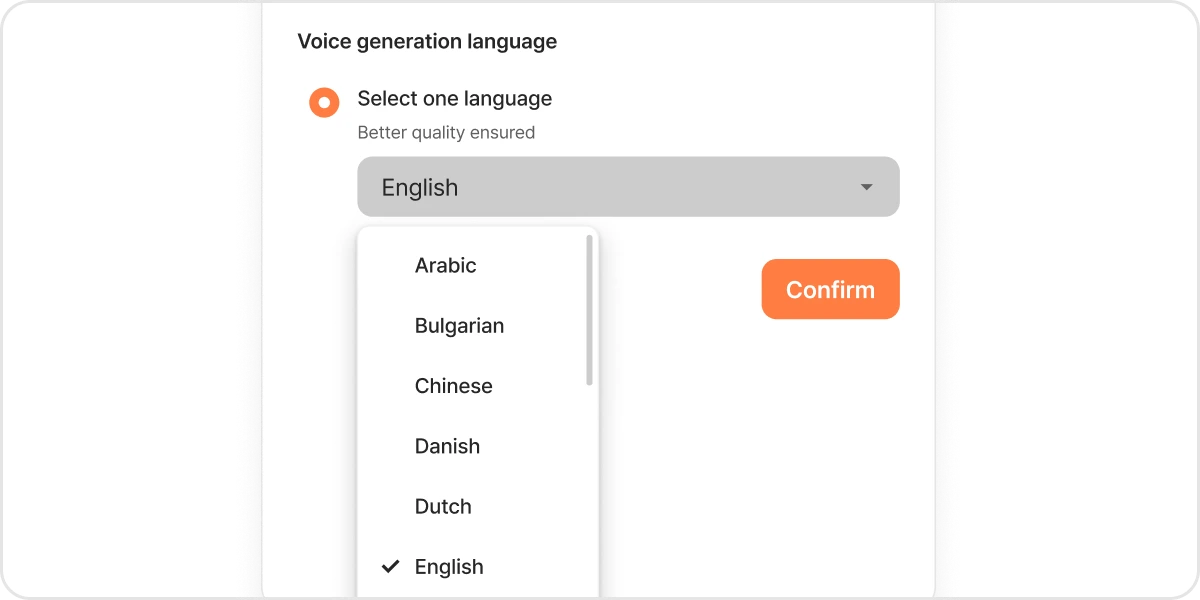
  2. STEP 2

    Set the language

    Select Russian when creating a new project. This will ensure that all of our AI voice characters speak with a native Russian accent so that you get the perfect Russian voice needed.
  3. STEP 3

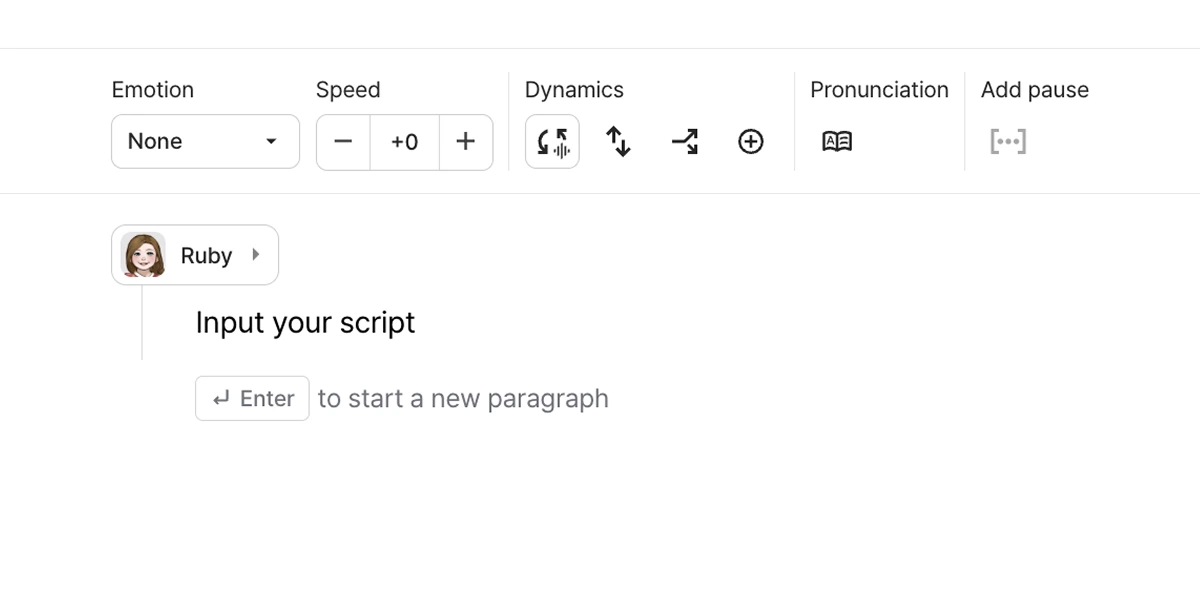
    Input your script

    Type in your script directly into our Russian text-to-speech tool or paste in text from another source to get started.
  4. STEP 4

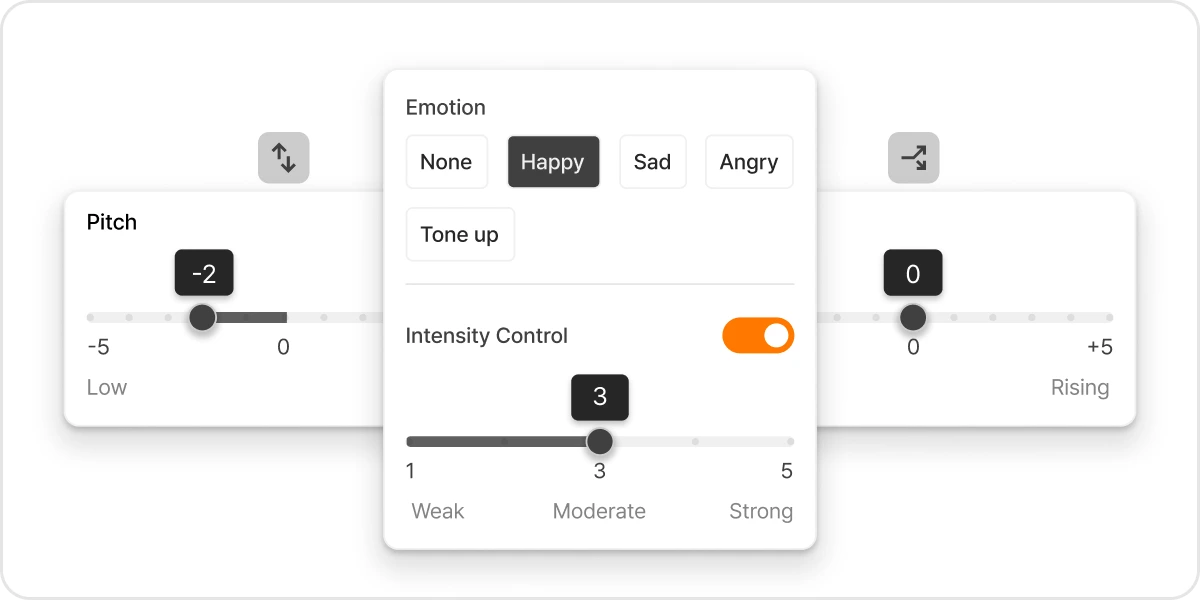
    Personalize the voice

    Modify settings like emotion and speed to customize the voice to fit your project's specific needs.
  5. STEP 5

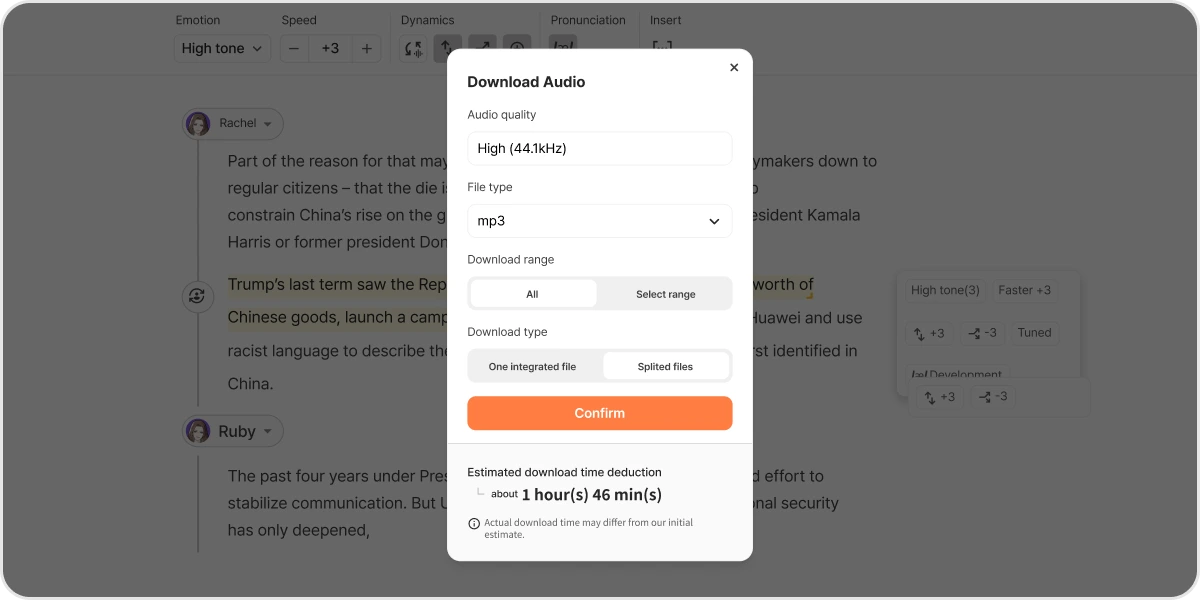
    Download your voice-over

    Once you're satisfied with the voice, download the final voice-over in a high-quality MP3 or WAV file.

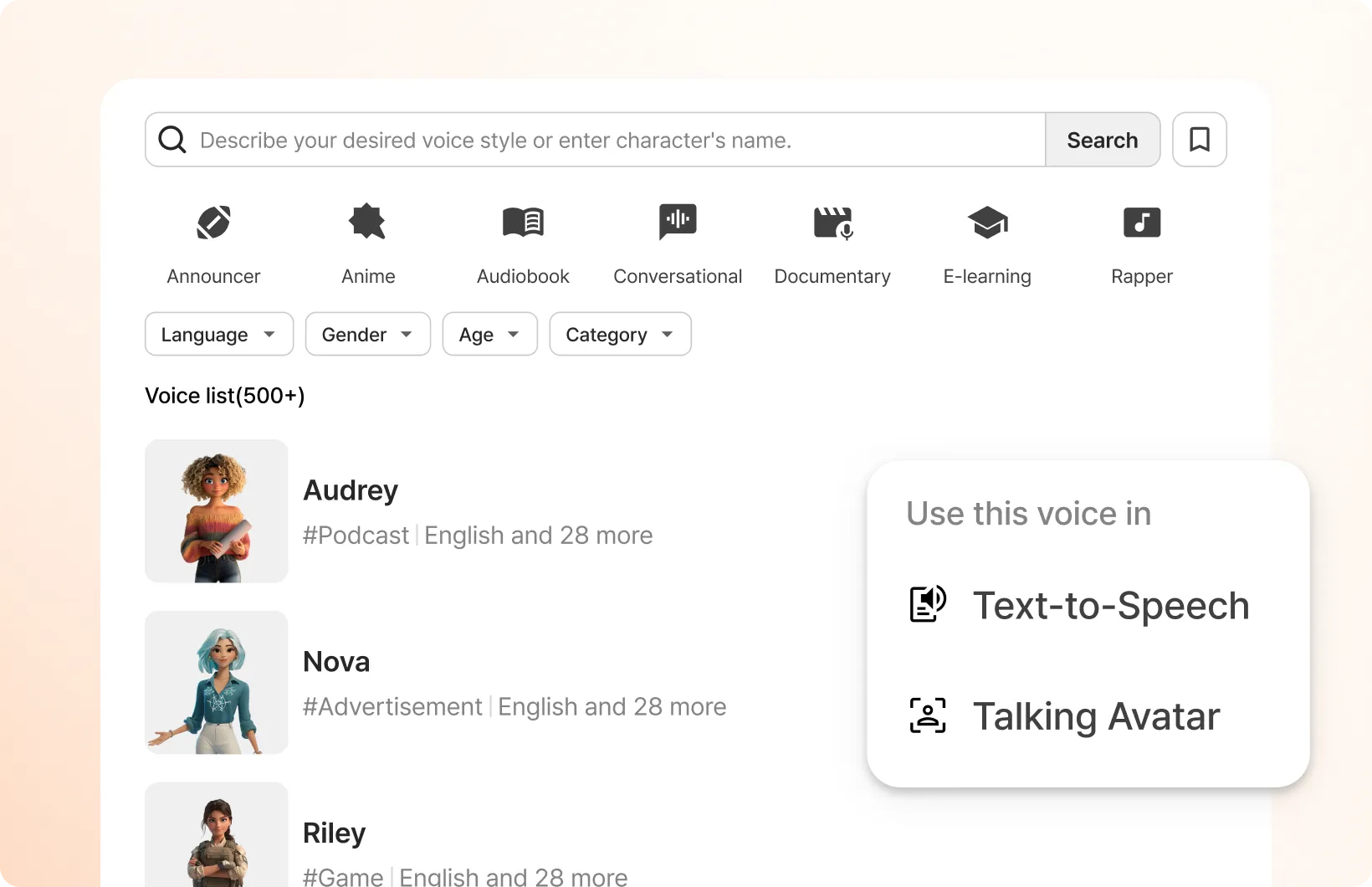
Typecast has 700+ AI voice actors to choose from

Typecast character casting page view

Typecast is having a real impact on its customers

  • "The pitch perfect AI voice service! Typecast is world recognized for the best of the best voice actors for AI projects. I currently work on a podcast that needs new and clean voices and Typecast does an amazing job of providing me the best AI audio for my projects."

    Eric F.

    Small Business Founder

  • "Typecast is such a unique tool that comes in handy for TTRPGs and other projects! I like that Typecast has a free version that has considerably beneficial features. I really like the variety of different characters I can lean on and there are different types of content I can make based on created templates."

    Stephanie H.

    Information Technology & Services worker

  • "Excellent software! Modern, intuitive dashboard. Access to very life-like voices"

    Emily Davis

    Computer Software Engineer

  • "Generate Realistic Voice Overs using AI. Typecast quickly generates voice from text to use in video. Typecast supports importing multiple file formats, including pdf and epub. Ppt and Excel. Typecast cuts out the need to hire a voice-over production team. Typecast makes it produces life-like voices for a fraction of the cost. Voices with different emotions can be generated using AI."

    Denise M.

    Small Business Owner

  • "A Top Class AI Voice Generator. Typecast me create powerful video content through realistic AI voices and avatars. It is second to none in terms of quality and is time saving. Most of the times, text to speech voice models sound very robotic. But that is not the case with Typecast. It provides a realistic, human-like voice which can help users connect better."

    Kaustubh K.

    Civil Engineer

  • "It's the best text to speech AI model which is so easy to use. It's the best while using different tones and the best part is we have several options available for the same with so many emotions. And it is so quick and saves time"

    Sarah Johnes

    Marketer

Plans made for all content creators and businesses

Free

Trial plan to experience AI voices

Voice generation & downloads

Unlimited voice generation
5 minutes of download credits / month

Free plan features

Trial voices downloads
HD (720p) video downloads
1GB basic media storage

Attribution is required for all content downloaded on the Free plan.

Learn more

Basic

Starter plan for content creation

Voice generation & downloads

Unlimited voice generation
60 minutes of download credits / month

Everything in Free, plus

Commercial license
All voices downloads
High quality (44.1kHz) audio downloads
Full HD (1080p) video downloads
5GB media storage in total
Watermark-free video downloads
Most popular

Pro

Creator plan with advanced emotion control

Voice generation & downloads

Unlimited voice generation
2 hours of download credits / month

Everything in Basic, plus

Advanced emotion control & fine-tuning
1 voice cloning slot
Ultra HD (4K) video downloads
50GB media storage in total

Business

Enterprise plan for businesses

Voice generation & downloads

Unlimited voice generation
6 hours of download credits / month
Add-on voice cloning slots available for purchase

Everything in Pro, plus

2 voice cloning slots in total
100GB media storage in total

Frequently asked questions

How to make Russian text-to-speech?
Simply go to an AI voice over tool like Typecast, select an AI voice actor, type what you want to say in Russian, and click download to get your Russian text-to-voice.
How to use Russian text-to-speech on TikTok?
You can use Typecast's Text-to-Speech to create your Russian voiceover audio, and then add that audio in your TikTok video by:
  1. Opening the TikTok app.
  2. Tap the "+" (Create) button to start a new video.
  3. Record or upload your video.
  4. Tap "Add Sound", then choose "My Sound".
  5. Upload your Russian text-to-speech audio.
  6. Sync the audio with the video.
Can I clone my voice and make it speak Russian?
Once you use Typecast's Voice Cloning tool to clone your voice, you can then get your cloned voice to speak in Russian automatically if you write or paste in a Russian script.

Type your script and cast AI voice actors

The AI generated text-to-speech program with realistic voices you'll want to try
Type your script