





The rise of AI data analysis tools has fundamentally changed the way businesses, researchers, and professionals make sense of large volumes of information. Instead of spending hours manually sorting through spreadsheets, charts, and reports, teams now rely on intelligent software that can identify patterns, generate insights, and even predict outcomes in a fraction of the time.
Whether you’re a data scientist, a marketing strategist, or a small business owner, the right AI data analysis tools can turn raw numbers into actionable strategies.
But with so many platforms flooding the market, how do you know which ones actually deliver?
This guide provides a high-level overview of the best categories of AI tools for data analysis available today, from research platforms and competitive intelligence software to document summarizers and beyond. Each section links to a deeper dive so you can explore the tools that matter most to your workflow.
Why businesses are turning to AI for data analysis

The shift toward AI isn’t just a trend — it’s a response to a real problem. Organizations today generate more data than any human team could realistically process. According to IDC, the global data-sphere is expected to reach 291 zettabytes by 2027, more than doubling the data that existed in 2022.
That kind of scale demands automation. Automated data analysis tools can ingest massive datasets, clean and organize them, and surface the insights that would take a human analyst days or even weeks to uncover.
The benefits include:
- Speed: AI processes data in real time, delivering insights almost instantly.
- Accuracy: Machine learning models reduce the risk of human error in repetitive analysis tasks.
- Scalability: As your data grows, AI tools scale with it — no need to hire proportionally larger teams.
- Accessibility: Many modern platforms require no coding knowledge, democratizing data analysis across departments.
Understanding how to use AI at work starts with recognizing where these tools fit into your existing processes, whether that’s market research, financial forecasting, content strategy, or operations.
Best AI research tools for data-driven insights
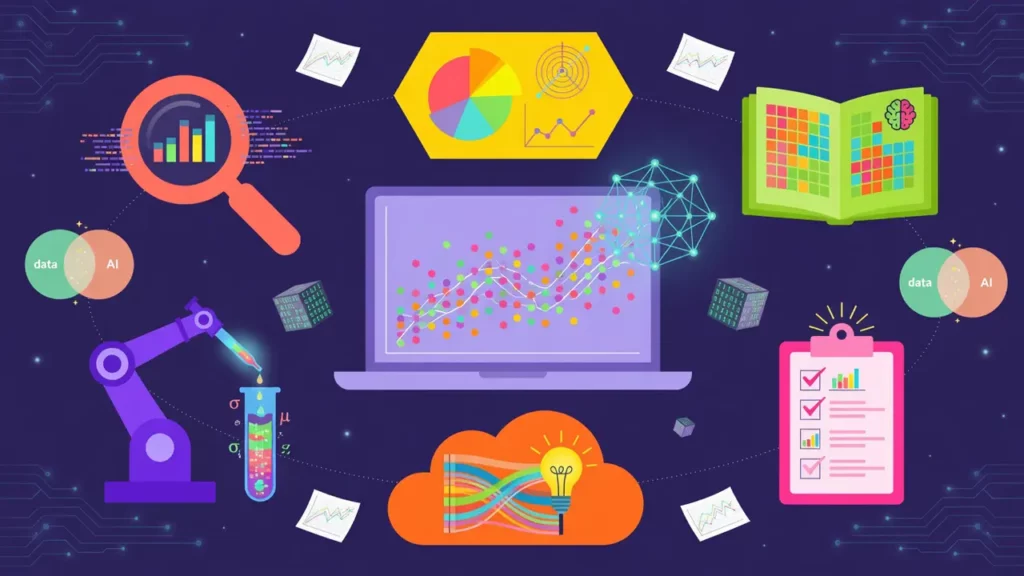
How AI research tools accelerate the discovery process
One of the most impactful categories within AI data analysis tools is research automation. These AI tools help professionals gather, organize, and synthesize information from academic papers, industry reports, news sources, and proprietary databases far faster than manual methods allow.
These platforms typically use natural language processing (NLP) to understand the context of your queries and return highly relevant results, rather than simply matching keywords. Some can even identify connections between studies or flag contradictions in existing literature.
Common use cases include:
- Academic research: Scanning thousands of journals to find relevant studies on a specific topic.
- Market research: Aggregating industry reports and consumer data to identify emerging trends.
- Due diligence: Quickly reviewing public filings, legal documents, and financial records.
- Competitive intelligence: Monitoring news, patents, and product launches across your industry.
If your work requires sifting through large volumes of published information to inform decisions, AI research tools are an essential part of your toolkit. For a detailed breakdown of the top platforms and how to choose between them, check out our full guide on AI research tools.
Competitor analysis tools powered by AI

Keeping tabs on your competition at scale
No data analysis strategy is complete without understanding what your competitors are doing. Competitor analysis tools powered by AI go far beyond basic Google Alerts. They can track pricing changes, monitor social media sentiment, analyze advertising strategies, and even reverse-engineer a competitor’s SEO approach.
“Companies that regularly conduct competitive analysis are 2.5 times more likely to see revenue growth above their industry average,” according to a Crayon State of Competitive Intelligence report.
What makes AI-driven competitive analysis particularly powerful is its ability to process unstructured data — things like customer reviews, social media posts, and forum discussions — and extract meaningful patterns.
Rather than manually reading through hundreds of reviews to understand why a competitor’s product is gaining traction, an AI tool can categorize sentiment themes in seconds.
Key capabilities to look for include:
- SEO and content gap analysis: Identifying keywords and topics your competitors rank for that you don’t.
- Pricing intelligence: Tracking competitor pricing in real time across multiple channels.
- Ad monitoring: Cataloging competitor ad creatives, placements, and estimated spend.
- Product tracking: Receiving alerts when a competitor launches a new feature or product line.
To explore specific platforms and learn how to build a competitive intelligence workflow, visit our in-depth guide on competitor analysis tools.
How to analyze data with AI: a starting point

Turning raw data into real decisions
If you’re new to the world of AI-powered analytics, the sheer number of options can feel overwhelming. The good news is that getting started with AI data analysis doesn’t require a Ph.D. in machine learning. Many of today’s platforms are designed for business users who want answers, not algorithms.
The typical AI data analysis workflow looks something like this:
- Data ingestion: Upload or connect your data sources — spreadsheets, databases, CRM systems, APIs, and more.
- Data cleaning: The AI identifies duplicates, missing values, and formatting inconsistencies, then suggests or applies corrections.
- Exploratory analysis: The tool generates visualizations, summary statistics, and preliminary insights to help you understand what you’re working with.
- Deep analysis: Depending on the platform, this might include regression analysis, clustering, anomaly detection, or predictive modeling.
- Reporting: Results are compiled into dashboards or reports that can be shared with stakeholders.
What separates AI-assisted analysis from traditional methods is the conversational interface many tools now offer. You can literally ask a question like “What caused the sales drop in Q3?” and receive a natural-language explanation backed by data.
For a step-by-step walkthrough of how to get started, including tool recommendations for different skill levels, head over to our guide on AI data analysis.
AI summarizer tools for faster information processing

Why summarization is a core data analysis skill
Not all data analysis involves numbers. A significant portion of business intelligence comes from text — emails, meeting transcripts, customer feedback, research papers, and internal documents. This is where an AI summarizer becomes invaluable.
AI summarizer tools use NLP to condense long-form content into digestible key points without losing critical meaning. Instead of reading a 40-page report cover to cover, you can get a concise summary that highlights the main findings, recommendations, and data points.
Practical applications include:
- Meeting notes: Automatically generating summaries from recorded meetings or transcripts.
- Research digests: Condensing multiple articles or papers into a single briefing document.
- Customer feedback analysis: Summarizing themes from thousands of survey responses or support tickets.
- Legal and compliance review: Extracting key clauses and obligations from lengthy contracts.
As noted by MIT Technology Review, “Generative AI is fundamentally changing the way we read and process written information, making it possible to absorb insights from far more sources than any individual could manage alone.”
The best AI summarizer tools let you control the length and focus of the summary, so you get exactly the level of detail you need.
How to summarize PDFs with AI

Extracting insights from document-heavy workflows
PDFs remain one of the most common file formats in business, from financial statements and contracts to white papers and technical manuals. The problem is that they’re notoriously difficult to search, edit, or analyze at scale.
Tools that summarize PDF AI content solve this by parsing the document, understanding its structure, and pulling out the information you need.
This capability is especially relevant for professionals who deal with:
- Annual reports and earnings calls: Quickly extracting financial highlights without reading 100+ pages.
- Academic papers: Identifying methodology, results, and conclusions from dense research PDFs.
- Regulatory documents: Summarizing compliance requirements from government or industry publications.
- Proposals and RFPs: Reviewing vendor submissions and pulling out pricing, timelines, and key differentiators.
These tools don’t just copy and paste excerpts. Advanced summarize PDF AI platforms can answer specific questions about a document, compare multiple PDFs side by side, and even translate content across languages during the summarization process.
If your workflow involves processing large volumes of PDF documents, this category of AI data analysis tools can save you significant time. Our linked guide walks you through the best tools and techniques for getting started.
Choosing the right AI data analysis tools for your needs

Matching tools to your workflow
With so many options available, the key to success is selecting AI data analysis tools that align with your specific goals, technical expertise, and budget.
Here are a few questions to ask before committing to a platform:
- What type of data do you work with most? Structured (spreadsheets, databases) or unstructured (text, PDFs, images)?
- What’s your team’s technical skill level? Some tools require SQL or Python knowledge, while others are entirely no-code.
- Do you need real-time analysis or batch processing? Real-time dashboards serve different needs than periodic deep-dive reports.
- How important is collaboration? If multiple team members need access, look for platforms with shared workspaces and role-based permissions.
- What’s your integration landscape? The best tool is one that connects seamlessly with your existing tech stack — CRM, ERP, marketing platforms, and so on.
No single tool will cover every use case. Most data-savvy organizations build a stack that includes several specialized solutions working together.
Beyond analysis: communicating insights effectively
Analyzing data is only half the battle. The other half is communicating what you’ve found in a way that drives action. This is where complementary tools come into play.
For instance, an AI voice generator can help you turn a written data report into a narrated presentation or video explainer, making insights more accessible to stakeholders who prefer audio-visual content over static charts.
The most effective data teams don’t just find insights — they tell stories with them. Whether that means interactive dashboards, automated email reports, or voice-narrated summaries, the presentation layer matters just as much as the analysis itself.
The evolving landscape of AI-powered analysis
The capabilities of AI data analysis tools are advancing rapidly. Features that seemed cutting-edge a year ago — like natural-language querying and automated anomaly detection — are now table stakes.
Looking ahead, expect to see deeper integration of multimodal AI (combining text, image, and numerical analysis), more sophisticated predictive modeling accessible to non-technical users, and tighter connections between analysis platforms and decision-making workflows.
The organizations that invest in understanding and adopting these tools now will have a significant advantage as the data landscape continues to grow in both volume and complexity.
Whether you start with research tools, competitive intelligence platforms, text summarizers, or full-scale analytics suites, the important thing is to start — and to build from there.