

An audio guide script helps visitors notice, understand, and remember an object without requiring them to stare at a screen or read a label. The strongest scripts are written for listening: they use clear language, manageable sentence lengths, purposeful pauses, and details that reward attention.
This guide walks through a practical approach using a fictional museum object and a complete sample stop. It also shows where text-to-speech can fit into a review workflow without replacing curatorial judgment, subject expertise, or human listening.
Start with the visitor’s moment, not the object record
A museum record may contain an artist name, date, medium, dimensions, accession number, provenance, and a detailed curatorial description. Those facts matter, but they are not automatically a listening experience.
Before drafting, define what the visitor is likely doing when the stop begins. Are they standing in front of a large painting? Looking into a display case? Moving through a crowded gallery? The script should work in that physical context.
A useful planning note can include:
- Stop goal: What should the listener notice or understand?
- Object focus: Which visual, material, or historical detail anchors the stop?
- Audience assumption: What background knowledge can you reasonably expect?
- Listening length: How long should the stop last?
- Next action: Should the visitor look closer, move around the object, compare it with another work, or continue to the next stop?
Museum interpretation is most effective when it is shaped for a specific audience and purpose rather than simply transferring research into a new format. The Victoria and Albert Museum’s guidance on interpretive writing emphasizes clarity, audience awareness, and selecting the information that supports a visitor’s experience rather than trying to say everything at once. Read the V&A’s museum interpretation guidance.
Build the audio guide script around one clear idea
A single stop does not need to explain an entire era, artist, or collection. Give it one main job.
For example, a stop about a nineteenth-century dress might focus on the labor hidden in its embroidery. A stop about a landscape painting might focus on how the artist uses light to direct the viewer’s attention. A stop about an archaeological vessel might focus on the marks left by use and repair.
A simple structure keeps the script focused:
1. Orient: Tell visitors where to look.
2. Observe: Name one or two specific details they can see.
3. Interpret: Explain why those details matter.
4. Connect: Relate the object to a larger human question, story, or context.
5. Release: Give visitors a final prompt or a natural transition.
This structure is not a formula for every gallery. It is a way to prevent a common audio problem: a dense paragraph of information with no visual anchor.
Worked example: a fictional exhibit stop
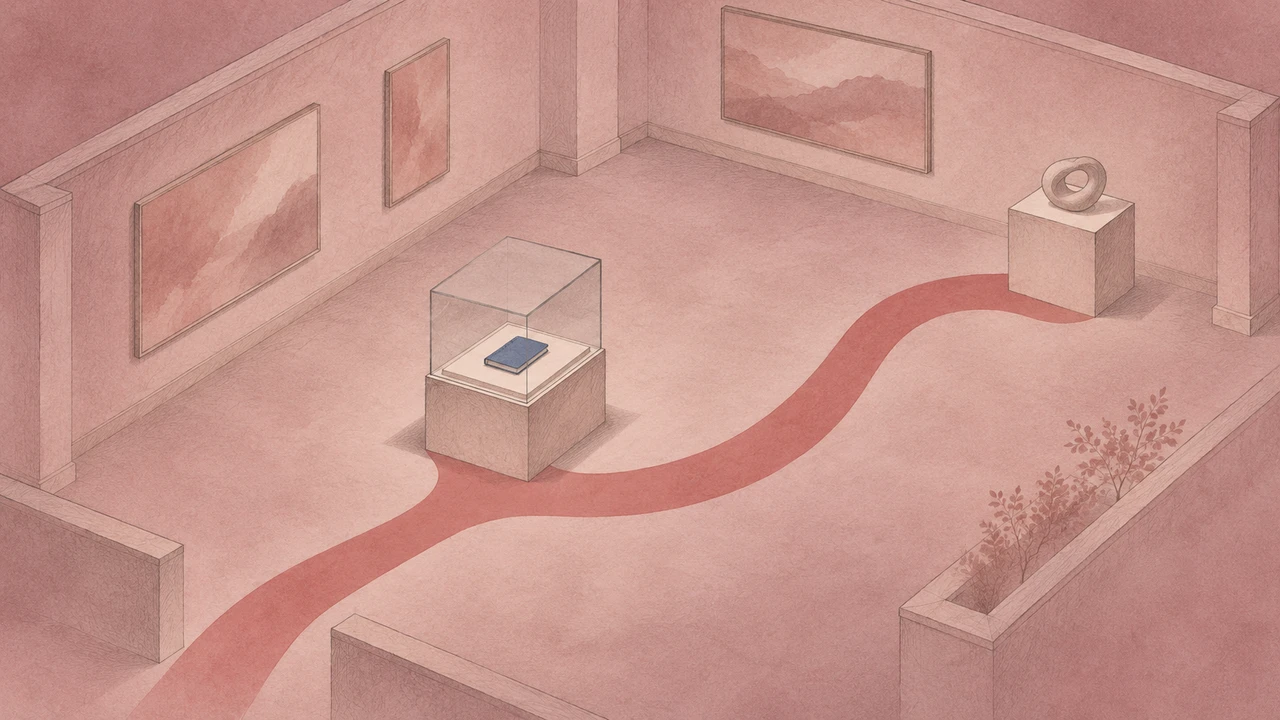
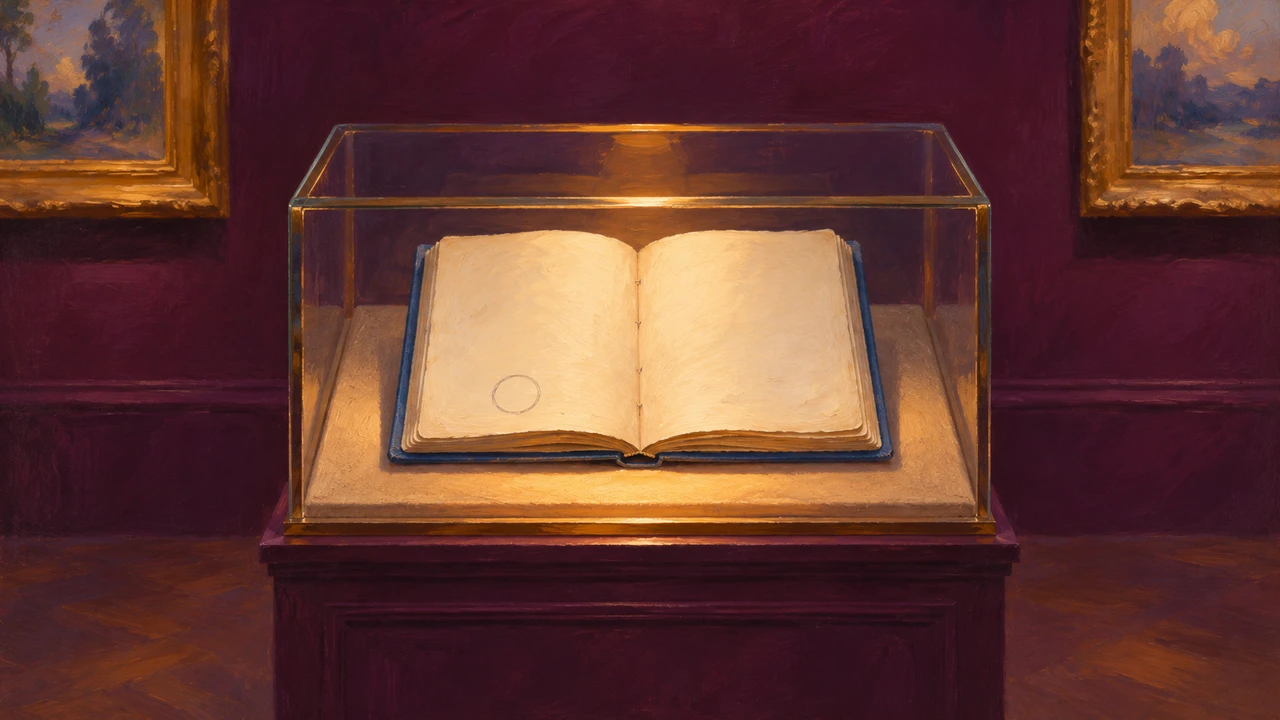
The notebook, exhibit and story below are fictional. The artwork accompanying this article is an illustration, not a photograph of a collection object. No museum, curator or visitor study is represented.
Fictional exhibit · an open blue notebook with a circled pencil mark
Stop goal · direct attention to one detail, offer an explicitly imagined interpretation, and invite a response.
We made these original samples with Typecast text-to-speech, using its API and the Cyrus stock voice.
Notebook stop · 27.15 seconds
Transcript: “This exhibit and its story are fictional, created as a writing example. Look at the open blue notebook in the case. Near the bottom of the left page, a small circle surrounds a penciled mark. Imagine a ferry operator using that mark to remember a repair. The notebook turns an ordinary task into a trace of someone’s working day. Now look at the blank space beside the mark. What would you have written there to help the next person? When you are ready, continue to the next display.”
The opening discloses the fiction before offering the imagined ferry story. The instruction then locates a visible detail. An actual collection script would need a curator to verify the object, its history and any interpretation before recording.
The measured 27.15-second duration includes the generated pauses in this file. It is a compact example, not a universal length for museum stops. Extend or shorten your own stop according to the object, audience and intended visit.
Nubart’s scriptwriting guidance recommends selecting exhibits deliberately and writing for listening. Use that editorial principle to choose a single useful story rather than narrating an entire catalog record.
Edit for listening rather than reading
A script that reads well on a page can still sound awkward through headphones. Read every draft aloud before recording or generating audio.
During that read-through, listen for these issues:
- Long openings: Put the object or action first instead of delaying it with background context.
- Unclear references: Replace “this,” “that,” or “there” when a listener may not know what you mean.
- Overloaded sentences: Split sentences that contain multiple dates, names, clauses, or visual details.
- Unpronounceable terms: Add a pronunciation note for names, places, and specialized vocabulary.
- Invisible details: Do not describe a feature visitors cannot easily locate without guidance.
- Unnecessary certainty: Use careful wording when an interpretation is debated, incomplete, or speculative.
It can help to mark the script with performance notes, such as [pause], [slower], or [emphasize “waiting”]. These notes are for production and review; remove them from a public transcript unless they convey meaningful sound information.
Use timing as an editorial tool
Duration is part of the writing process. A stop that runs too long may ask visitors to stand still after their attention has shifted. A very short stop may not provide enough orientation or meaning.
Timing depends on the speaker, pacing, pauses, pronunciation, and the emotional tone of the narration. Rather than relying on a fixed words-per-minute rule, create a draft audio version and measure the actual result.
Draft the narration, generate a review version, and listen for pacing problems before deciding on the final recording. Audition appropriate narrator voices against the script’s intended tone.
Treat generated audio as an editorial preview, not an automatic approval step. A museum team should still listen for pronunciation, factual precision, cultural sensitivity, pacing, and whether the delivery matches the interpretation. Voice choice can change how authoritative, intimate, playful, or solemn a stop feels.
For broader guidance on evaluating spoken output in a browser-based workflow, see Typecast’s overview of text-to-speech online.
Plan the transcript alongside the audio
A transcript is not merely a backup copy of the script. It is part of making the guide usable by more visitors and easier to review internally.
Keep the transcript aligned with the final audio guide script and spoken audio. If the recording includes an introductory sound, a music cue, or a meaningful non-speech sound, note it when that information helps a reader understand the experience. The W3C’s accessibility guidance explains that transcripts should provide access to the spoken content and relevant auditory information for media users who cannot hear or do not use the audio. Review the W3C transcript guidance.
For each stop, maintain a simple production record:
- Final script text
- Object title and stop number
- Pronunciation notes
- Audio duration
- Transcript version
- Reviewer names and approval date
- Device and browser playback checks, where available
This record makes revisions less risky. If an exhibition label changes, an object is moved, or a pronunciation is corrected, the team can identify which audio and transcript need updating.
Review the stop in its real setting
Listen while standing where the visitor will stand. Confirm that the instruction identifies the right detail, the spoken names and facts match the approved object record, and the final transcript matches the exported audio. Have the museum’s responsible staff review factual interpretation, cultural context and intended access needs.
This fictional demo has technical browser playback evidence. It has not been tested in a gallery or approved by museum or accessibility specialists, and it makes no accessibility-compliance claim.
A well-made museum audio guide does not attempt to replace looking. It gives visitors a reason to look longer, notice more, and connect an object with an idea they can carry into the next room.