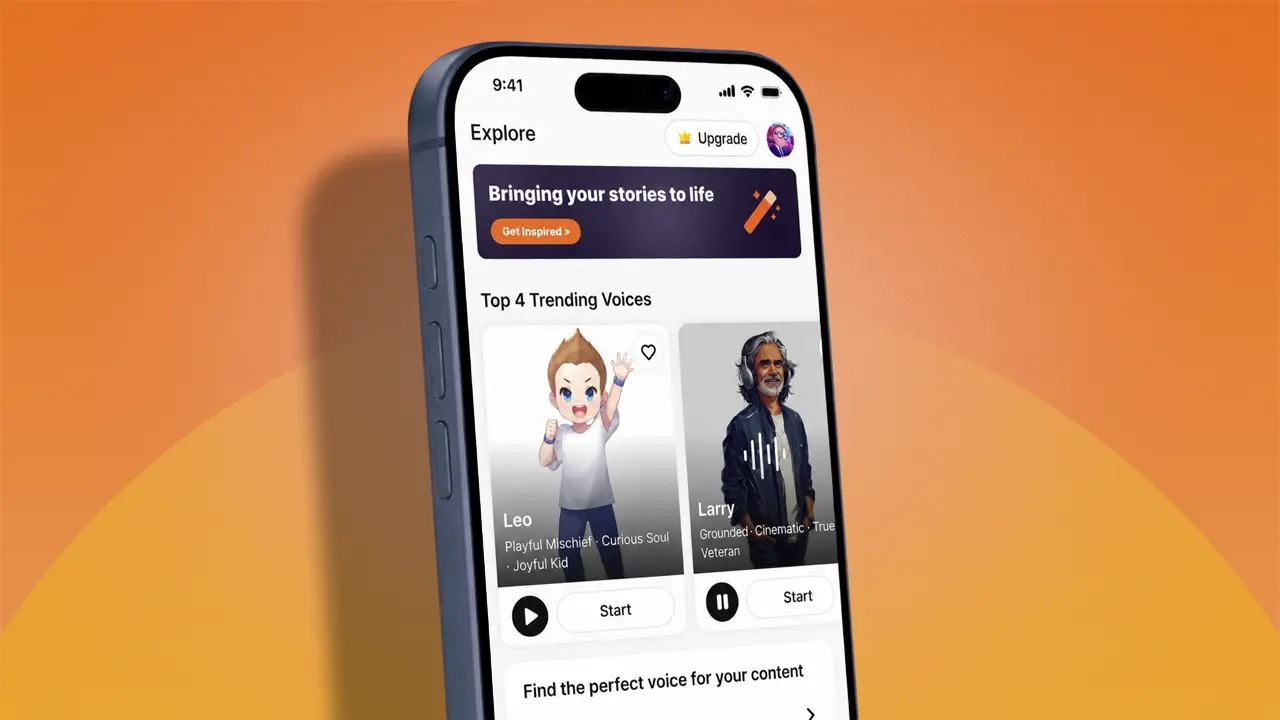





If you’ve ever spent way too long scrolling through voices one by one in an AI voice app, the latest update to Typecast’s mobile app is built for you. The Explore tab has been completely redesigned to help you discover, preview, and start using the right voice in a fraction of the time.
Whether you’re producing short-form videos, audiobook narrations, or viral content, finding the perfect voice shouldn’t slow you down. Here’s everything that’s changed and why it matters for your workflow.
What’s new in the revamped Explore tab
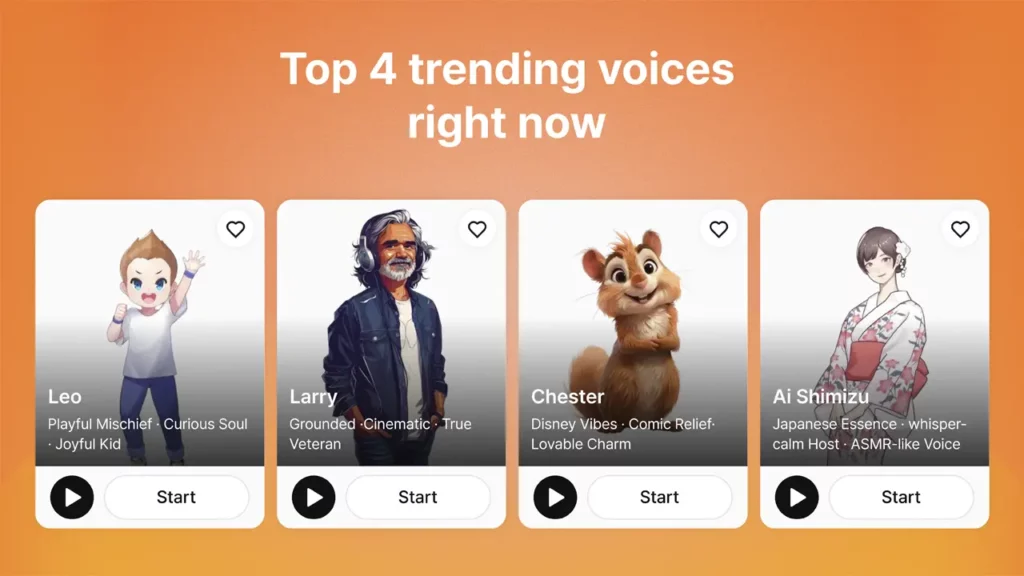
Top 4 trending voices at a glance
At the very top of the Explore tab, you’ll now see the Top 4 trending voices that other creators are using right now. Instead of guessing which character might work, you can start with what’s already proven popular across a range of content types—reviews, vlogs, informational clips, and more.
It’s a simple change, but it eliminates one of the biggest friction points in any AI voice app: not knowing where to begin.
Voice curation tailored to your content’s purpose
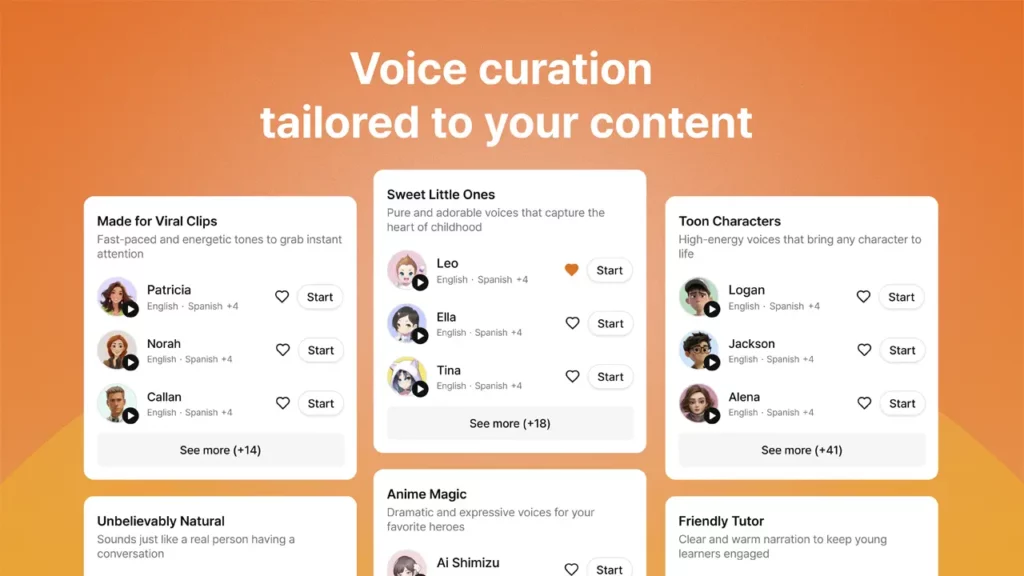
Below the trending section, the new Explore tab organizes voices into curated themes based on the kind of content you’re creating. You’ll see categories like “Unbelievably Natural Voices” and “Anime Magic Voices,” each grouping characters by vibe and use case.
Think about the tone you’re going for—news-style authority, playful anime energy, cinematic narration—and Typecast surfaces voices that match. No more listening to dozens of random samples hoping something fits.
How to find the voice you want, step by step
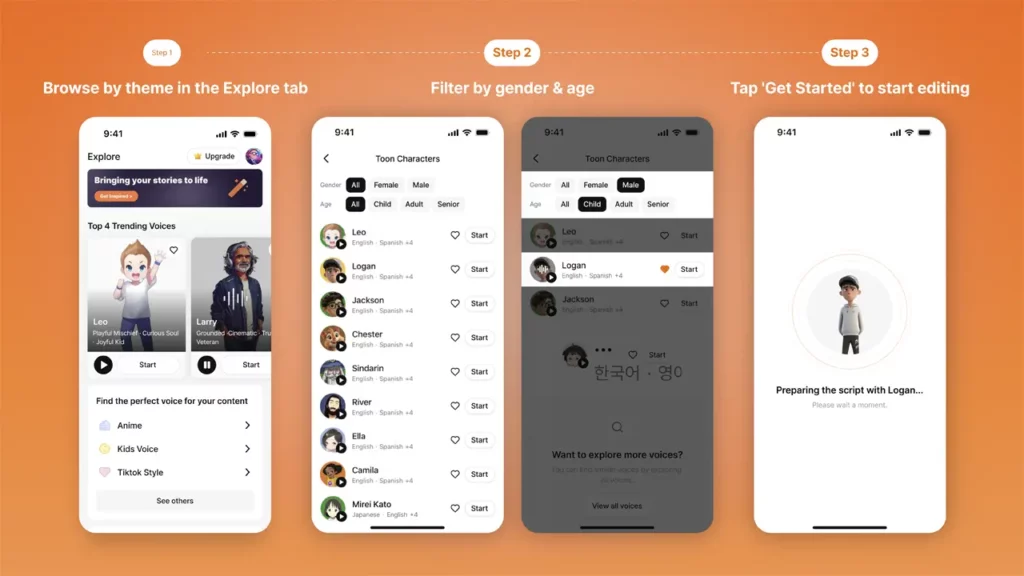
Step 1: Browse themes in the Explore tab
Tap the Explore tab at the bottom of the app to see the redesigned screen. Start with the trending voices at the top or scroll down to browse curated themes. If a particular category catches your eye, tap “See More” to explore the full list.
Step 2: Narrow your search with gender and age filters
Each theme lets you filter characters by gender (All, Female, Male) and age (All, Child, Adult, Senior). If you already have a specific voice profile in mind, these filters let you skip straight to relevant options rather than sifting through hundreds of choices.
Explore the full character library
If none of the curated themes surface the voice you need, scroll to the bottom of the Explore tab and tap “View All Voices.” From there, you can search and listen across over 700 AI voices sourced from real voice actors—not generic text-to-speech output.
As TechCrunch has noted, “The quality gap between AI-generated voices and real human speech is narrowing rapidly,” and Typecast’s library reflects exactly that shift, offering voices with genuine range and emotional depth.
Step 3: Preview and start editing immediately
Tap any voice to hear a preview. Found one you love? Hit the heart button to save it to your favorites for future projects. Or tap “Start” to jump straight into script editing—no extra steps between discovery and production.
Why Typecast is more than just another AI voice app
The Explore tab redesign is only part of what makes this AI voice app stand out. Here’s what’s working under the hood to give creators real advantages:
- Speed that matches your pace: The workflow is simple: import your script, cast a voice, apply Smart Emotion for automatic tone matching, and download. Need to produce content in bulk? Typecast handles that efficiently too, so you’re not bottlenecked by one clip at a time.
- Voices with real range: With over 700 voices built from real voice actors, you get characters that actually sound human. On top of that, voice cloning and full voice customization let you shape a character to your exact specifications. This text-to-speech app goes well beyond what most standard TTS tools offer.
- Control before you commit: Smart Emotion gives you fast, automatic emotional control over any voice. Need to go further? Fine-tuning options let you adjust beyond presets for precise delivery. And here’s a detail that matters: you don’t spend credits until you’re happy with the result. Preview and tweak as much as you need before committing.
How to get the Typecast app
Getting started takes less than a minute. Typecast is available as a free download on both major mobile platforms:
- iPhone and iPad users can find the app on the App Store.
- Android users can download it from the Google Play Store.
Simply search for “Typecast” in your device’s store, install the app, and you’ll land directly on the redesigned Explore tab. Whether you’re on the go or at your desk, having this AI voice app on your phone means you can cast voices, edit scripts, and produce content from anywhere—no laptop or PC required.
Save time finding voices, spend it creating content
The entire point of this Explore tab redesign was to remove the guesswork. Curated themes help when you’re unsure; filters help when you’re specific. Either way, you get to the right voice faster.
Combined with Typecast’s speed-focused workflow, expansive voice library, and flexible controls, the updated AI voice app is designed to keep your creative momentum going—not interrupt it.
Open the Typecast app and explore the new tab for yourself. The perfect voice for your next project is a few taps away.