




Dubbing vs voice over is a practical choice that affects how viewers understand, trust, and engage with your video. Although the terms are sometimes used interchangeably, they describe different approaches to replacing or adding spoken audio. The right option depends on whether you need to preserve an original performance, explain visuals clearly, reach audiences in another language, or create new narration from scratch.
For marketers, educators, creators, and production teams, the decision is rarely about choosing one method forever. It is about matching the audio approach to the video’s purpose, audience, distribution channels, and production constraints.
What is dubbing?
Dubbing replaces the original spoken dialogue in a video with a new performance, usually in another language. The goal is for the replacement dialogue to feel like it belongs to the people on screen.
A dubbing workflow can involve translating and adapting the script, casting or selecting voices, recording dialogue, aligning lines to the scene, and mixing the finished audio with music and sound effects. Because the dialogue is tied to visible speakers, timing, tone, and mouth movement matter.
Dubbing is commonly used for:
- Films, television, and streaming content
- Character-led animation
- Product videos with people speaking on camera
- Training content that features demonstrations and dialogue
- Localized campaigns intended to feel native to a market
Good dubbing is not always a word-for-word translation. A direct translation may be too long for the available screen time or may not sound natural in the target language. Netflix’s English dubbing guiding principles emphasize preserving the intended meaning and performance while adapting dialogue for the dubbed version.
What is voice over?
Voice over adds spoken narration to a video without necessarily replacing dialogue from an on-screen speaker. The narrator may be visible, but they often speak off camera while the audience watches demonstrations, graphics, interviews, screen recordings, or b-roll.
Voice over is especially useful when the audio needs to explain, guide, summarize, or persuade. Since the narrator does not always need to match a person’s visible mouth movements, the workflow can be more flexible than dubbing.
Voice over is often used for:
- Explainer videos
- Product demonstrations
- Corporate presentations
- Online courses and tutorials
- Documentaries
- Social media videos
- Advertising and brand storytelling
- Accessibility or descriptive narration
A voiceover can be recorded in the original language or created for new audiences. For example, a company may produce an English software tutorial with a narrator, then create separate Spanish, Japanese, and French voiceover versions without showing an on-screen presenter speaking each line.
Dubbing vs voice over at a glance
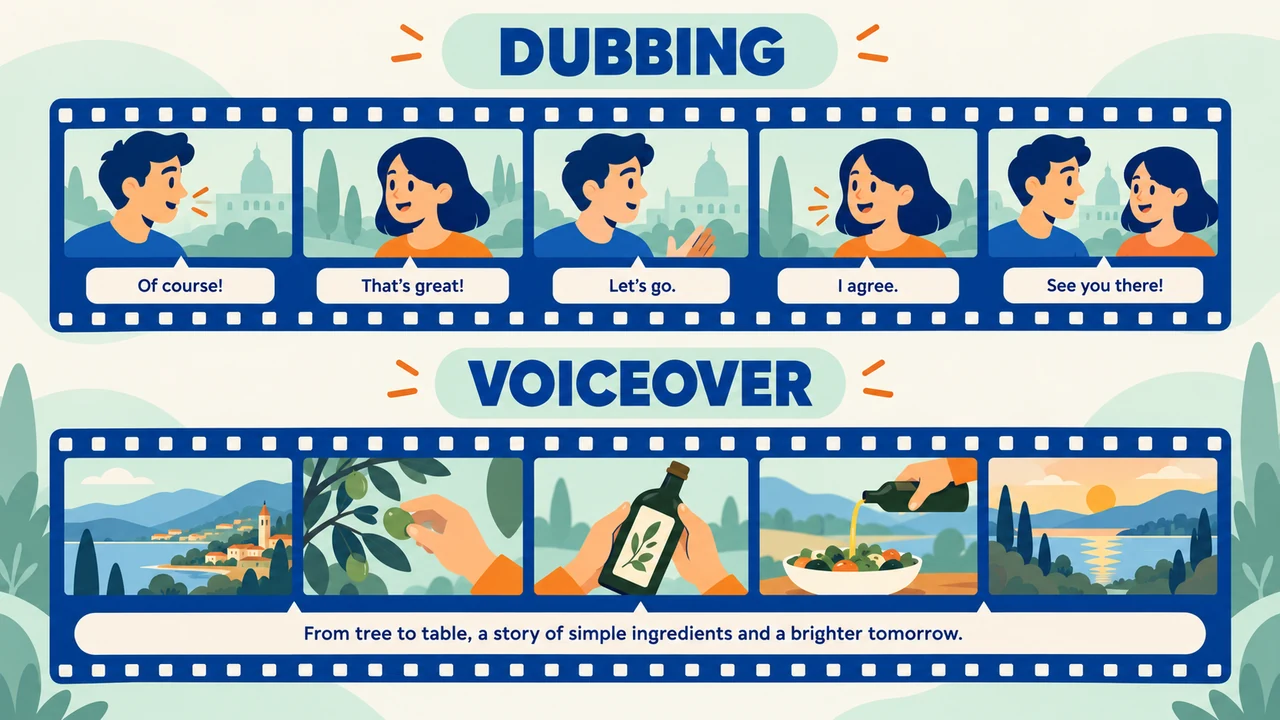
The central difference is the relationship between the voice and the people shown on screen.
| Factor | Dubbing | Voice over |
|---|---|---|
| Primary purpose | Replace spoken dialogue | Add narration or explanation |
| On-screen speakers | Usually central to the experience | May be absent or secondary |
| Lip-sync expectations | Often important | Usually not required |
| Script approach | Translation and adaptation of dialogue | Original narration, translation, or summary |
| Performance focus | Match character intent and scene timing | Deliver clarity, tone, and pacing |
| Best for | Dialogue-heavy video localization | Explainers, tutorials, presentations, and b-roll |
| Production complexity | Can be higher because of scene timing | Can be more flexible depending on the format |
Neither option is automatically more professional. A well-produced voiceover can be the better experience for an instructional video, while dubbing can make a character-driven story easier to follow for viewers who do not speak the original language.
The same scene: dubbing and voice over compared
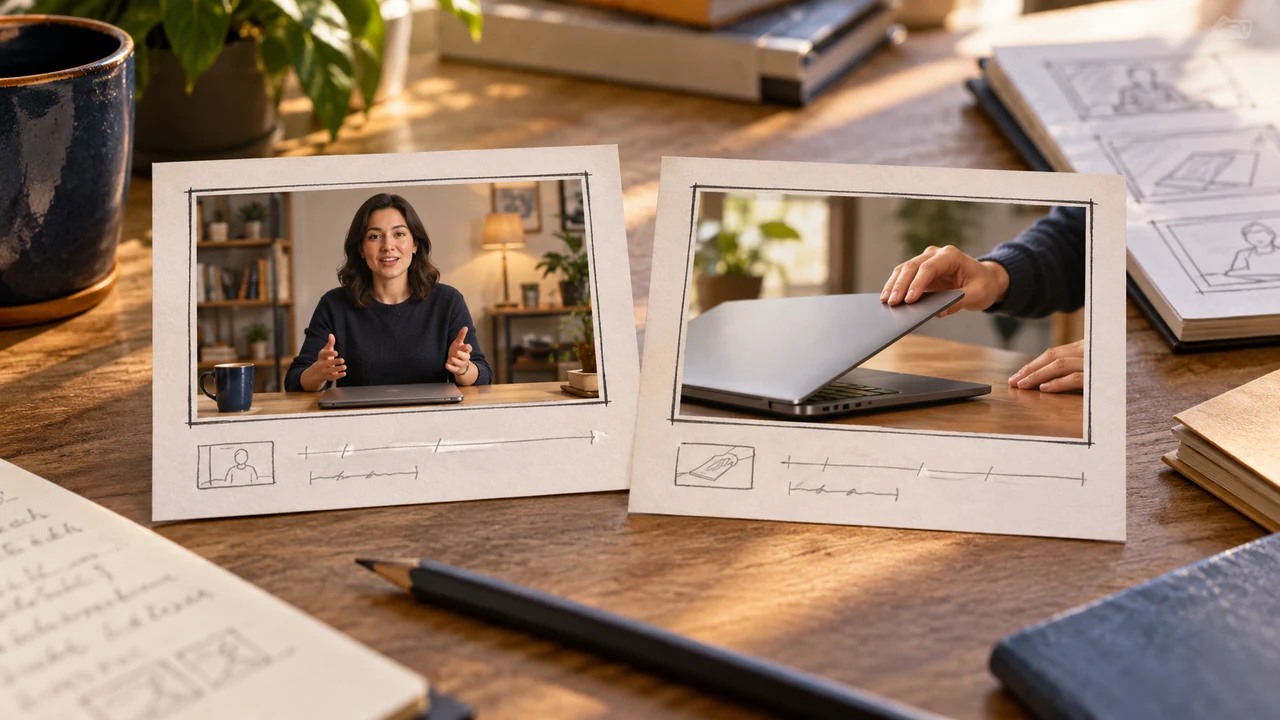
Consider a 20-second product video. An on-camera presenter opens a laptop and says:
“This dashboard helps your team spot overdue tasks before they slow down the project.”
Version 1: Dubbed scene
In a dubbed version, the presenter’s original English dialogue is replaced with a performance in the target language. The translated line is adapted to fit the presenter’s speaking pace and the visible moment when they point to the dashboard.
The viewer still experiences the presenter as the person delivering the message. This version works well when the speaker’s energy, credibility, and connection to the product are important.
Version 2: Voiceover scene
In a voiceover version, the original presenter audio may be muted or reduced. A narrator speaks over the footage:
“Use the dashboard to identify overdue tasks and keep projects moving.”
The narrator does not need to match the presenter’s mouth movements. The script can be shorter, more instructional, or tailored to the needs of the target audience. This version works well when the visuals are doing most of the storytelling and the spoken audio needs to guide attention.
What changes for the viewer?
The dubbed scene preserves the feeling of a person speaking directly to the audience. The voiceover scene prioritizes a clear explanation of what the audience should notice and do.
If the viewer needs to connect with the on-screen speaker, dubbing is often the stronger fit. If the viewer needs to understand a process quickly, voice over may be more effective.
How to choose between dubbing and voice over
Use these questions to make the decision before recording or localizing audio.
1. Is the speaker visible and important?
Choose dubbing when the video depends on people speaking on camera. Interviews, testimonials, scripted scenes, and founder-led announcements often lose impact if a separate narrator replaces a visible speaker’s voice.
Choose voice over when visuals can stand on their own. Screen recordings, slides, product close-ups, animation, and b-roll usually give narrators more freedom to explain the content without distracting lip-sync differences.
2. Is the video dialogue-led or information-led?
Dialogue-led content relies on conversations, reactions, character relationships, and verbal performance. Dubbing generally preserves this structure.
Information-led content is built around instructions, takeaways, or demonstrations. Voice over can simplify the message and guide viewers through the most important details.
3. How much localization does the script need?
If the target audience needs culturally adapted phrases, revised examples, or different calls to action, both approaches can support localization. However, dubbing requires the adapted script to work within the scene’s timing.
Voice over can provide more room to reshape the script. A narrator can condense a long explanation, add context that was not present in the original audio, or use a different pacing for a new format.
4. Where will viewers watch the video?

For entertainment content watched at length, dubbing can help viewers stay focused on the screen rather than reading subtitles. For short social videos, tutorials, and internal training, voice over may offer a more direct path to comprehension.
Also consider silent viewing. Captions and on-screen text can support either dubbing or voice over, particularly when videos are viewed in feeds, offices, transit, or other sound-off environments.
5. What level of timing precision does the project require?
Dubbing needs close coordination between the translated line, vocal performance, edits, and visible speech. This does not mean every project requires exact lip sync, but timing still shapes whether the result feels believable.
Voice over has fewer timing constraints, though it should still align with the action on screen. A tutorial narrator should describe a click when it happens, and an explainer should avoid moving on before viewers can absorb the visual.
A use-case decision table
| Video use case | Usually the better starting point | Why |
|---|---|---|
| Scripted drama or entertainment | Dubbing | Viewers need to follow on-screen dialogue and performance. |
| Interview or customer testimonial | Dubbing or subtitles | The speaker’s presence and emotional delivery are part of the message. |
| Software tutorial | Voice over | Narration can guide viewers through steps and interface changes. |
| Animated explainer | Voice over | The script can be shaped around the visual sequence. |
| Product launch with a visible host | Dubbing | A localized host performance can preserve direct audience connection. |
| Internal compliance training | Voice over | Clear, adaptable instruction may matter more than lip-sync. |
| Social media product montage | Voice over | A concise narrator can frame fast-moving visuals. |
| Documentary with interviews and b-roll | Often both | Interviews may be dubbed or subtitled, while b-roll can use narration. |
Can a video use both?
Yes. Many projects combine dubbing and voice over to serve different parts of the same story.
For example, a documentary may dub a short interview so viewers can follow the speaker while using a separate narrator to provide context between scenes. A training video may use dubbed dialogue for a workplace scenario, then switch to voice over for a step-by-step recap.
This combined approach can work well when the video has both emotional, people-focused moments and instructional sections. The key is consistency: viewers should understand when they are hearing a character, a presenter, or a narrator.
Planning your script and audio workflow

Before choosing a method, review the video with the audio plan in mind.
Start by identifying every moment where speech carries meaning. Separate on-screen dialogue from narration, background chatter, and sound effects. Then decide what must be preserved exactly, what can be adapted, and what could be communicated visually instead.
For dubbing, create a script that accounts for scene timing and performance. Read lines aloud while watching the video, because a translation that looks concise on the page may still run too long in the scene.
For voice over, write to the visuals rather than simply reading a transcript. Use language that tells viewers what to notice, what action to take, and why the information matters. Leave space for key visuals to register without competing narration.
If you are creating narration from a script, you can also create a text-to-speech voiceover as part of your production planning. For a broader walkthrough of multilingual audio creation and localization considerations, see this AI dubbing guide.
Final takeaway
Choose dubbing when the original video depends on visible speakers, dialogue, and performance. Choose voice over when narration needs to explain visuals, guide a process, or adapt more freely to a new audience.
The most useful question is not whether dubbing or voice over is better in general. Ask what viewers need from this specific video: a believable on-screen performance, a clear explanation, or a combination of both. When the audio method supports that goal, the finished video is more likely to feel natural and easy to follow.